
Inspection software privacy is about what happens to inspection data after somebody taps upload, and that matters a lot more than most demos let on. If an inspector sends photos from a job site in Phoenix at 4:45 p.m., you should know exactly who can see those files, where they go, how long they stay there, and whether the vendor gets to do anything with them beyond delivering your service.
What inspection software privacy actually means
In plain English, inspection software privacy covers four things: who can access inspection data, where that data lives, how it moves between systems, and what the software company is allowed to do with it. That includes inspector notes, permit details, addresses, photos, videos, applicant information, and the quiet background data most platforms gather without much fanfare, like device details, usage logs, and location signals.
Privacy is not a side feature. It is part of the product.
That is easy to miss because software vendors usually put security front and center. Encryption, backups, and access controls all matter. But privacy asks a different question: once the data is inside the system, what are the rules? Can support staff open it? Can a subcontractor process it? Can the vendor use uploaded media to improve analytics or train AI features? Can records sit in backups long after your retention window is over?
Privacy is different from security, but the two overlap
Security is about protection. Privacy is about permission.
A secure platform can still collect too much data, keep it too long, or share it too broadly. On the flip side, a privacy-friendly policy means little if the platform lacks basic protections like encryption, role controls, and multi-factor authentication. Good inspection tools need both, especially because data at rest and in transit should be protected from the moment a file is captured to the moment it is archived or deleted.
Why this matters more in remote inspections
Remote inspection tools create more digital exhaust than in-person workflows. Every image, video clip, timestamp, chat note, sync event, and login trail becomes a record. That can be great for accountability, but it also expands the privacy surface area.
The catch is that remote workflows do not just replace a clipboard. They often add cloud storage, mobile apps, live video, map data, and integrations with calendars or permitting tools. If you are comparing formats, this is one of the biggest differences between what changes in a remote workflow and what stays familiar.

Start with the data: what the software collects and why
The first privacy check is simple: ask for the full list of data the software collects and why each category exists. Not the marketing version. The real list.
A useful review covers staff-entered notes, applicant details, media uploads, metadata, audit logs, usage analytics, integration data, and anything tied to support or product improvement. If a vendor cannot show you that clearly, the privacy picture is already blurry.
Data you enter, data the app observes, and data pulled in from elsewhere
Most collection falls into three buckets. First, there is information your staff types in, such as notes, comments, addresses, case details, and contact info. Second, there is information the app gathers automatically, such as timestamps, device type, IP address, app events, and sometimes location data. Third, there is information imported from connected systems, like identity providers, cloud storage, calendars, or permitting platforms.
That last bucket gets overlooked all the time. A platform may look tidy on its own, then quietly expand data flow through integrations. If you are already sorting through public-sector software must-haves, privacy should be reviewed at the same level as workflow and reporting features.
The minimum-data test
Here’s the thing: every field should earn its place.
If a platform asks for data that is not needed for inspections, scheduling, records, support, or compliance, treat that like a checkout counter asking for your birthday when you only came in for a roll of tape. Maybe there is a reason. Maybe not. Either way, extra collection deserves a clear answer.
Data minimization sounds technical, but the idea is simple. Get only what the service actually needs. Keep only what your obligations require. Delete the rest.
AI, analytics, and training-use language to watch for
This is where privacy reviews need to catch up with modern software contracts. Many vendors now mention AI, machine learning, automated improvement, or product insights somewhere in the policy or terms.
Look closely at what that means. Can uploaded images, voice notes, or reports be used to improve models? Are customer records included in analytics pipelines? Is that use optional, or is it on by default? A lot of apps collect more than expected, and 82.78% of iOS applications monitor personal information in some form. That does not prove misuse, but it is a good reminder not to assume restraint.
Who can access your inspection data
Once you know what gets collected, move to access. Privacy problems often come from ordinary access that was too broad, too casual, or too poorly documented.
Inside your organization, different people need different views. Inside the vendor, support teams, engineers, and subprocessors may also have some level of access. You need to know both.
Role-based permissions for staff, supervisors, contractors, and applicants
A solid platform should let you separate roles cleanly. Inspectors may need to upload and edit records. Supervisors may need broader review rights. Applicants may only need a secure way to submit media or receive updates. Contractors may need limited, temporary visibility.
Least-privilege access is the standard worth insisting on. In practice, that means each account gets the minimum access needed to do the job, nothing more. It also means every user should have an individual login, not a shared field account, and permission reviews should happen regularly.
Vendor access, subcontractors, and support teams
Now the uncomfortable part: can the vendor see your data?
Sometimes the answer is yes, for support, maintenance, or troubleshooting. That is not automatically a dealbreaker. But you want specifics. Is access temporary? Does somebody on your side approve it? Is there an audit log? Do subcontractors or subprocessors get the same access? Are those third parties named anywhere?
If the platform includes mobile capture, offline sync, or live-streamed sessions, ask the same questions there too. This comes up often in video-based inspection workflows for agencies, where media handling and support access need to be spelled out clearly.
Sharing rules: designated recipients, partners, and legal requests
Data can leave the platform in more ways than most privacy policies admit at first glance. Exports, email notifications, integrated storage tools, partner services, legal requests, public records workflows, and business transfers all count.
A “we do not sell your data” statement is nice, but it is not enough. A vendor can avoid selling data in a narrow legal sense and still reserve broad rights to share it for operations, analytics, or partner services. Read the sharing section slowly.
Where data is stored, how long it stays, and how it gets deleted
Privacy is also about lifecycle. Upload is only the beginning.
You need to know where inspection data is hosted, how backup copies are handled, how long each record type is retained, and what happens when something is deleted or your contract ends. For agencies and CBOs, this is where software promises meet records obligations.
Data location and hosting
Ask where the data is stored and processed, including backups. Ask whether it remains in the United States. Ask which cloud providers or embedded services are involved.
This matters because third-party infrastructure can be part of the processing chain even when the vendor never mentions it in the demo. Some organizations prefer deployment models that avoid extra outside handling altogether. For example, the EDPS built open source tools for privacy inspections that can run without third-party cloud collection, which shows how strongly some public bodies value direct control over evidence and data flow.
Retention schedules, backups, and legal holds
“Delete” can mean a few very different things.
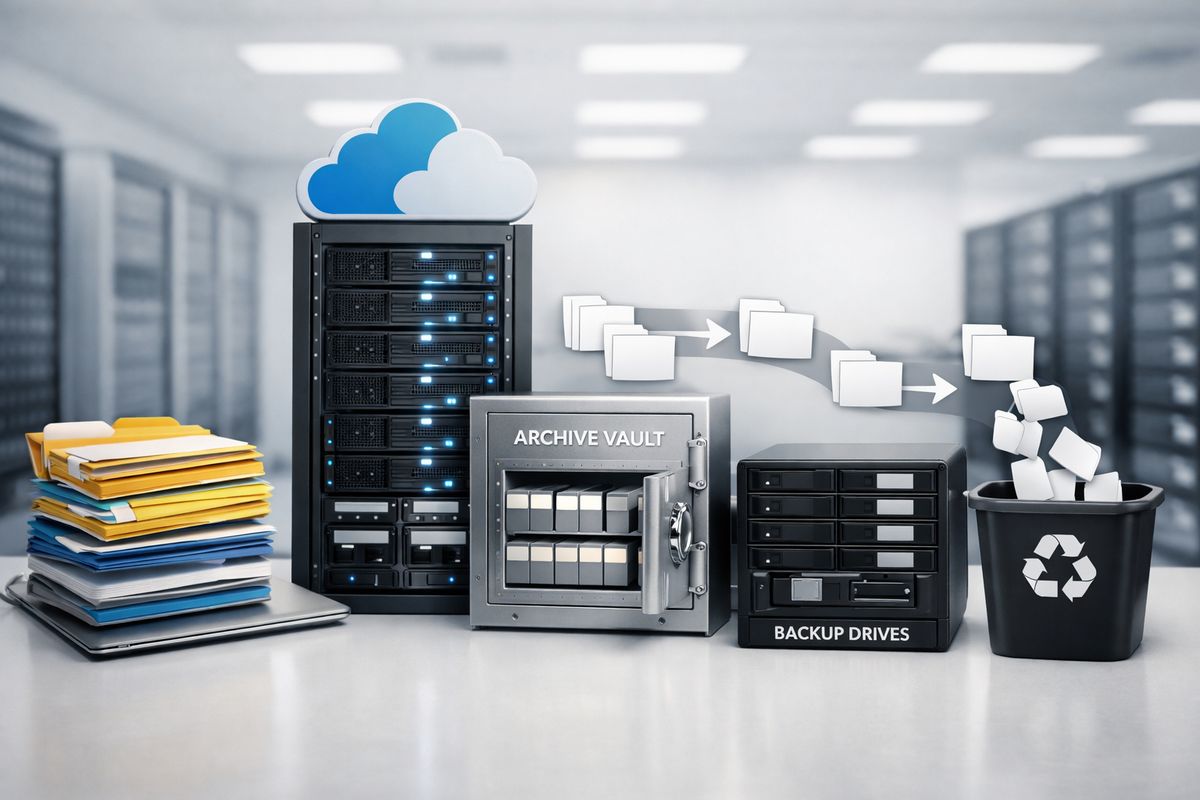
Sometimes a record disappears from the screen but remains in archives or backups for months, or longer. Sometimes logs and media files follow different retention schedules. Sometimes legal holds pause deletion entirely. You want the actual retention periods for records, media, logs, and backups, not a vague promise that data is kept “as long as necessary.”
That should line up with your records schedule, disclosure obligations, and litigation practices. If it does not, cleanup later gets messy fast.
Deletion, export, and offboarding
Before signing, check what happens when the relationship ends. Can you export your data in usable formats, or only as static PDFs? How long does the vendor keep data after termination? Will you get written confirmation of deletion? Can active data and backups be purged after the required period?
Offboarding is where vague privacy language tends to show up. A clean exit matters just as much as a smooth rollout.
What the privacy policy should say clearly, not vaguely
A good privacy policy should answer basic questions in one pass. What is collected, why it is collected, who gets access, how long it is kept, and what rights or controls exist. If you finish reading and still feel foggy, the policy is doing too much hiding behind soft language.
Good signs in a vendor privacy policy
Look for specific data categories, named purposes for use, clear sharing limits, stated retention periods, and meaningful notice about policy updates. If subprocessors are involved, those should be identified or at least documented somewhere you can review.
Plain language matters. If a policy can explain location data, analytics, or support access without turning into legal soup, that is usually a good sign.
Red flags that deserve a follow-up question
Broad references to “business purposes” should make you pause. So should vague mentions of affiliates, unclear analytics tracking, missing retention details, or blanket rights to change terms without meaningful notice.
Another red flag is silence around location and media data. Inspection platforms often collect photos, videos, voice notes, timestamps, and GPS-tagged images. Some products openly describe capturing GPS-stamped images, which is useful operationally, but it should never be treated like a minor detail.
“No sale” claims versus actual data use
“No sale” claims can be technically true and still leave plenty of room for broad use. Sharing for analytics, internal product improvement, ad measurement, partner integrations, or model training may still happen depending on the contract language.
So read past the headline promise. Privacy lives in the details, not in the banner line.
Compliance checks for agencies and CBOs
At this point, the question is not just “Is this software private enough?” The real question is “Does this fit your obligations without creating extra risk or admin work later?”
Public records, regulated data, and internal policy fit
Your privacy review should match your records rules, disclosure duties, and internal policies on sensitive information. Regulated data simply means information covered by specific legal or policy requirements, such as health, housing, or identity-related records that need tighter handling.
If the platform encourages staff to upload everything by default, that may clash with your own rules. The product should fit your environment, not force your environment to bend around its habits.
User rights, notice duties, and contract language
Policies are helpful. Contracts are where promises become real.
Check whether the vendor supports notice requirements, access or deletion requests where applicable, and incident notification on a timeline you can actually use. The United States had 19 data privacy statutes in effect across states by early 2025, which is another reason to make sure notice and handling terms are not left to guesswork.
Questions to ask before signing
Keep your questions plain and direct: what do you collect, who can access it, do you use customer data to train AI, which subprocessors are involved, how long is data retained, how does deletion work, what happens at offboarding, and how quickly do you notify after an incident?
Short questions tend to get clearer answers.
A simple privacy review process you can try this week
If you only do one thing, put the vendor’s privacy policy, security documentation, and contract terms side by side. Then highlight every place they do not match.
That one exercise catches a surprising amount. A policy may promise limited sharing while the contract allows broad operational use. Security docs may describe access controls that the terms never guarantee. Marketing pages may say “your data stays yours” while AI language quietly carves out exceptions.
Try that before your next demo or procurement meeting. And if you want a remote inspection platform built for public-sector realities, with privacy and control treated like product requirements instead of footnotes, start a Blitzz Trial.
Frequently Asked Questions
Is inspection software privacy the same thing as cybersecurity?
No. Cybersecurity is about protecting systems and data from unauthorized access, loss, or tampering. Privacy is about rules for collection, use, sharing, retention, and deletion. You need both.
Should you worry about photos and videos more than written notes?
Yes, often. Media files can reveal addresses, people, belongings, timestamps, and location details all at once. In remote inspections, images and video usually carry more hidden context than a typed note.
Is “we do not sell your data” enough?
No. A vendor may still share or repurpose data for analytics, service providers, product improvement, or AI features. Always read the sections on sharing, subprocessors, and permitted uses.
What is the first privacy question to ask a vendor?
Ask for a complete list of data collected, including anything gathered automatically and anything pulled in through integrations. That answer sets up almost every other privacy question.
Can deleted inspection records still exist in backups?
Yes. That is common. You should ask how long backups are retained, whether deleted records remain there, and when full deletion actually happens.
Why should contract language matter more than a marketing page?
Because contracts are enforceable. A nice website promise can be vague or incomplete. The contract is where access limits, retention terms, breach notice, and deletion obligations should be spelled out.