Buying video inspection software can feel deceptively simple. A live camera feed sounds like enough until your team has to prove what was seen, tie it to a case, and move the file forward without three follow-up emails and a manual upload. This guide breaks down what video inspection software should actually do for government agencies and CBOs, and which features are worth caring about before you buy.
What video inspection software actually needs to do for a government team
For public-sector work, a remote inspection tool is not just a way to see a site from afar. It has to support the actual job: verify work, document findings, preserve the record, and keep the process moving. If it cannot do all four, it becomes one more thing your staff has to manage.
That distinction matters. A lot. A plain video call can show a repaired stair rail or a completed water heater install, but it usually cannot connect that proof to the permit, case, or funding record in a useful way. Real inspection software should reduce site visits while keeping visual verification intact, not push the paperwork to later.
The idea itself is already well established. The International Code Council describes remote virtual inspections as a way for an owner or contractor to stay on-site while the inspector works remotely, helping inspections proceed in a timely manner. That is the practical promise: fewer windshield miles, less scheduling friction, and a documented process your team can defend if questions come up later.
Why a basic video meeting tool usually falls short
The catch is that general video tools were built for conversation, not inspection workflow. You can meet, talk, and maybe record, but that is not the same as a structured inspection.
In day-to-day government work, your team needs media attached to the right file, a checklist that guides the visit, clear timestamps, user activity logs, notes, and often a path to approval or follow-up. Without that, somebody ends up renaming screenshots at 4:45 p.m. and trying to remember which property they belonged to. Sharp video does not fix messy records.
You also miss the systems around the inspection itself: scheduling, reminders, reassignment, routing, and status tracking. If your tool stops working the second the call ends, it is not inspection software. It is a camera.
Where remote video inspections fit best
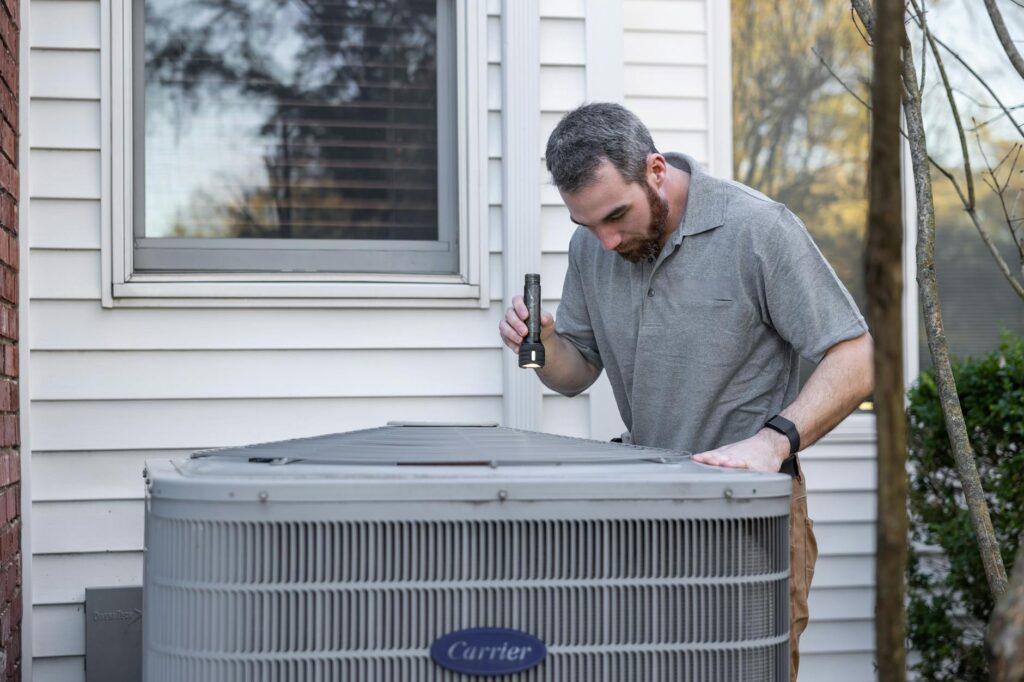
Remote video inspections work best when your team needs visual confirmation, but not every inspector physically on-site. That includes building and permit follow-ups, housing rehab verification, community development visits, maintenance checks, complaint follow-ups, and rural or hard-to-reach locations where travel eats half the day.
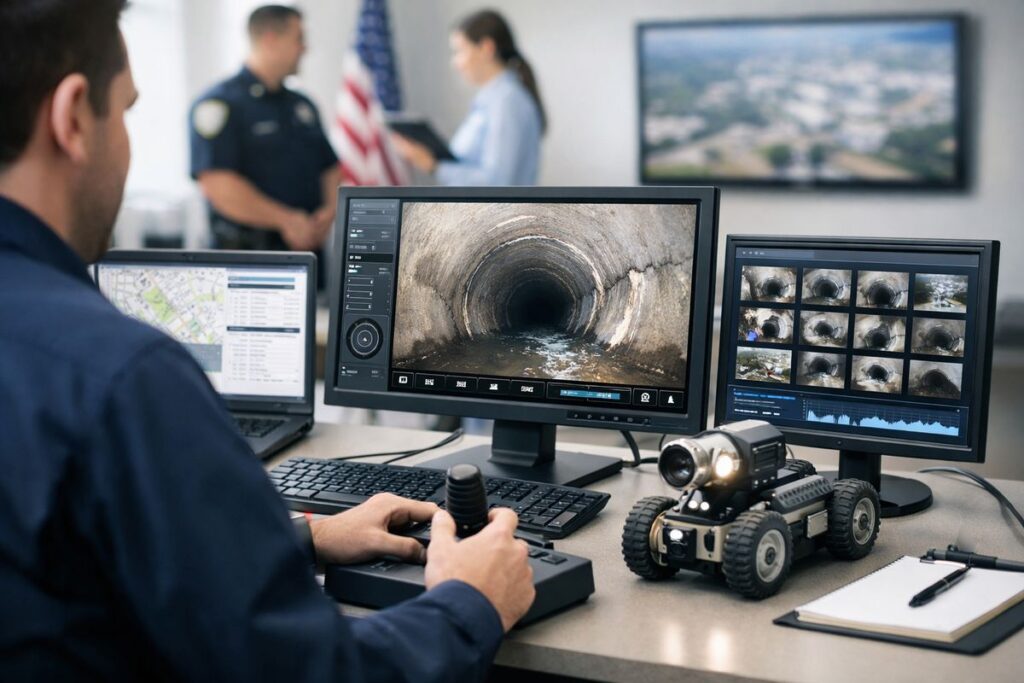
This is especially useful for agencies trying to stretch limited staff. A quick repair verification in a basement apartment on one side of town and a permit follow-up 40 miles out should not always require two separate drives if the issue can be verified remotely. If you want a broader sense of where this approach tends to work best, it helps to look at common field situations where remote reviews make sense.
The key features to look for in video inspection software
This is where the buying decision gets real. Marketing pages love to talk about innovation. Your team needs speed, documentation, security, and workflow. Those are the features that actually change the day.
No-download access for residents, contractors, and field contacts
If somebody has to download an app, create a password, confirm an email, and update phone permissions just to join one inspection, expect drop-off. For public-facing use, no-download access matters more than most feature lists admit.
The best tools let somebody join through a browser or a simple SMS link. That lowers friction for residents, contractors, landlords, nonprofit partners, and field contacts who may only use the system once or twice. It also cuts support calls. You want fewer “I can’t get in” moments and more completed inspections.
This is one reason newer platforms keep moving toward instant, no-app access. It is not flashy, but it saves real time.
Secure live video with built-in evidence capture
Live video is the starting point, not the finish line. During an inspection, your team may need to grab still photos, record clips, annotate images, use chat, or share reference information on screen. Oracle’s government guidance highlights secure live audio and video along with recorded pictures, markup tools, screen sharing, comments, and chat, which is much closer to what an inspection actually requires.
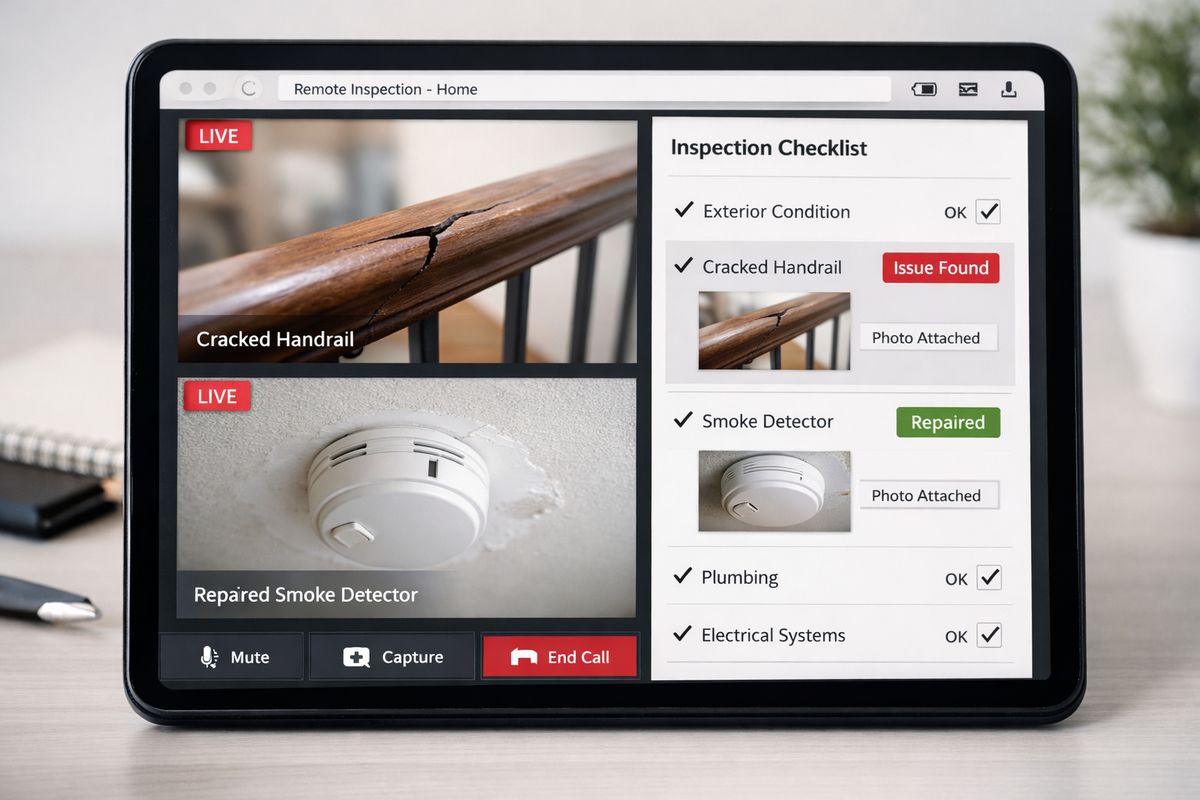
The point is simple: if you can see something important, you should be able to capture it immediately and save it in context. A missing smoke detector, a cracked landing, a serial plate, a patched drywall section, each one should become usable evidence, not a memory.
Time stamps, geotagging, and a defensible audit trail
Government workflows live or die on documentation. If an inspection result is challenged six months later, your team needs more than “someone saw it on video.”
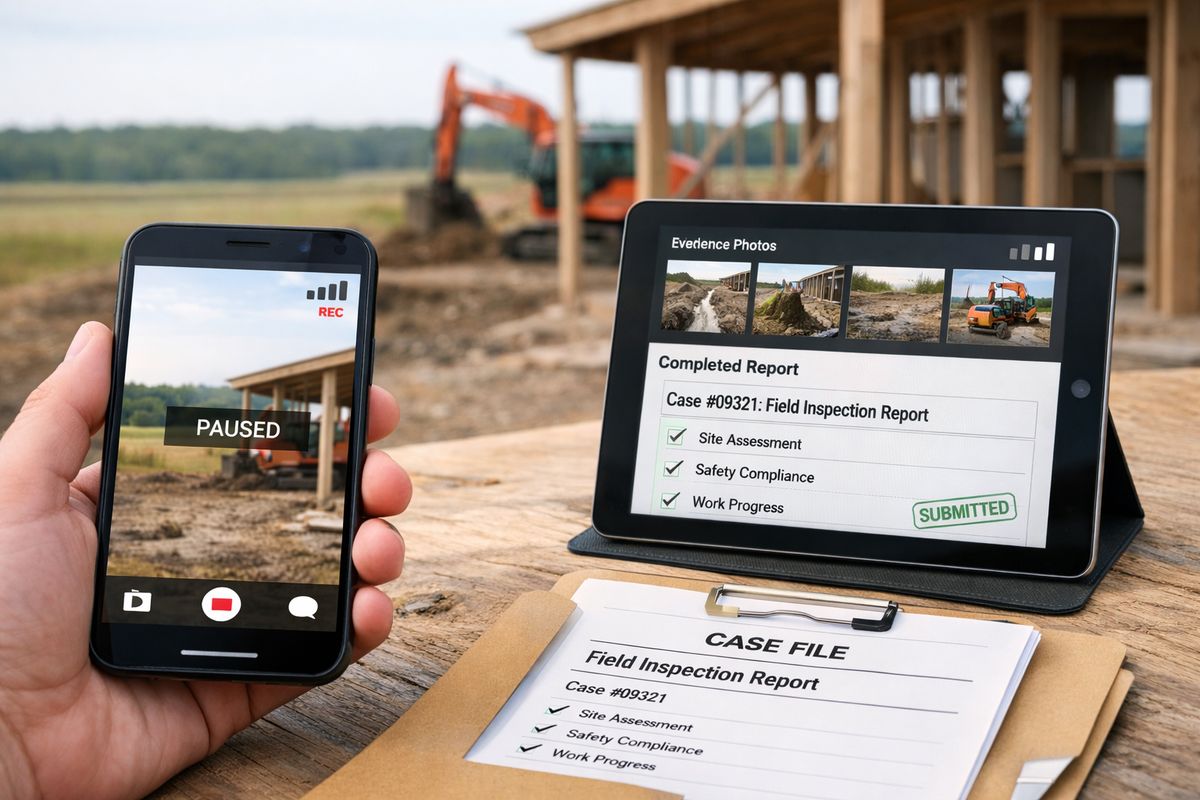
Look for automatic date and time stamps, geolocation when appropriate, user activity logs, and permanent attachment of media to the case or permit file. SAFEbuilt specifically frames remote inspection records around verified documentation with streaming, geolocation, and date/time stamps, which is exactly the kind of audit trail that makes a remote process hold up under scrutiny.
This is also where getting better inspection evidence matters. Accuracy is not just about the camera image. It is about proving when, where, and how the evidence was captured.
Checklist-driven inspections and standardized forms
A good checklist does more than keep people organized. It makes inspections more consistent across staff, reduces missed steps, and cleans up reporting on the back end.
The strongest platforms let you configure forms by inspection type and tie media directly to individual checklist items. That way, the photo of the repaired handrail sits next to the handrail requirement, not buried in a generic media folder. Some inspection tools even support evidence within checklist rows and timecoded references to specific moments in video, which is far more useful than one giant recording with no structure.
If your team handles multiple programs or inspection types, standardized checklists are not optional. They are what keep one person’s process from drifting too far from another’s.
Scheduling, assignment, routing, and notifications
Inspection software should help your team manage the work before and after the live session. That means assigning staff, managing calendars, sending reminders, handling reschedules, and giving supervisors a live view of workload.
Government-focused platforms increasingly treat this as part of the core product, not an add-on. Tools in this category often support automatic notifications, mobile scheduling, and real-time status changes so applicants and staff are not left guessing. That matters because fewer status calls to city hall is not just convenient, it frees up staff time.
Integration with permitting, licensing, or records systems
For many agencies, this is a must-have. If your team has to enter the same inspection data twice, attach files manually, or maintain a separate record outside the official system, the software is creating work instead of removing it.
Look for direct integration with permitting, licensing, code enforcement, housing, or records systems. CityView, for example, positions virtual inspection records as permanently stored within the permit file, including screenshots, video, and annotations. That is the right model. Evidence should land where the official record already lives.
If you are comparing platforms, keep your public-sector software checklist close. Integration tends to be the feature that sounds boring during a demo and becomes non-negotiable after rollout.
Features that become deal-breakers once you start using the software
Some features sound minor until your first month of real use. Then they become the reason staff either stick with the platform or work around it.
Low-connectivity performance and device flexibility
Inspections do not happen in perfect signal conditions. You already know that. Rural roads, basements, utility rooms, older brick buildings, and half-finished job sites are exactly where your connection gets spotty.
Your software should work across smartphones and tablets, support current browsers, and adapt when bandwidth drops. Some vendors go further. Intertek notes performance at low bandwidth levels, and VuSpex promotes workflows for low- or no-connectivity environments. That matters because a frozen screen during a final verification is not a small annoyance, it is a failed inspection attempt.
Device flexibility matters too. If the platform only works well on one operating system or one modern phone model, rollout gets painful fast.
Reporting and record retention that save time later
A platform earns its keep after the inspection just as much as during it. Auto-generated reports, searchable media, export options, and permanent storage attached to the official record can save hours later.
This is where good software feels like a well-labeled file cabinet instead of a junk drawer. You want screenshots, clips, notes, approvals, and checklist results tied together from the start. Not scattered across email, a shared drive, and somebody’s desktop.
Vendor guidance across inspection software consistently points to report automation because it reduces errors and keeps formats consistent. In practice, that means fewer manual summaries and less cleanup before audits, approvals, or public records requests.
Permissions, privacy, and security controls
Security features should be plain enough to understand without a technical translator. You need role-based access, secure storage, retention controls, and clear rules around who can view, upload, edit, or approve records.
That matters even more when inspections involve occupied homes, code cases, licensing, or any other sensitive material. A useful platform makes permissions easy to manage and hard to mess up. For a deeper look at what to verify, review the privacy checks that matter for inspection tools and the basics of locking down public-sector systems.
How to compare video inspection software vendors without getting distracted by demos
Demos are built to impress. Buying decisions should be built around your workflow.
Questions to ask before you shortlist a platform
Start with the practical questions that expose friction early. Does it require an app for public participants? Can evidence be tied directly to a case or permit? Does it support configurable checklists? How are records stored and retained? Can it connect to your existing systems? What happens if connectivity gets weak halfway through the session?
Those questions cut through a lot of polish. If a vendor cannot answer them clearly, that is useful information.
Red flags that signal extra work for your staff
Watch for standalone video sessions with no audit trail, weak reporting, vague retention rules, limited scheduling, or a system that treats inspection evidence as an afterthought. Another big red flag is any platform that expects residents or contractors to jump through too many steps just to join.
You should also be wary of tools that are clearly adapted from generic video software instead of built for public workflows. If your team would need separate systems for scheduling, evidence capture, recordkeeping, and approvals, the product is not solving the full problem.
How to test software with a real inspection scenario
A real test beats a polished demo every time. Pick one inspection type, such as a housing repair verification or permit follow-up, and run the full process from start to finish.
Send the invite. Join from a phone. Capture photos and clips. Complete the checklist. Attach the record to the case. Review it. Close it. Then ask one blunt question: did this reduce work, or just move it around?
That kind of pilot shows what your daily process will actually feel like. It also helps you compare how remote and on-site reviews differ in practice, which is where good software proves its value.
Matching the right platform to your use case and budget
Not every team needs the same level of software. The right choice depends on how often you inspect, how formal the record must be, and how much workflow complexity you need the system to handle.
Best fit for small teams that need speed and simple remote verification
If your team is small, your priorities are usually straightforward: easy setup, no-download access, reliable live video, basic scheduling, clear documentation, and simple reporting. You probably do not need a huge implementation project just to verify completed work and keep a clean record.
For CBOs and smaller agencies, low friction often matters more than advanced dashboards. If the tool is easy for staff and easy for the public, adoption goes up.
Best fit for departments that need full inspection workflow management
Larger departments or multi-program teams usually need more structure. That means routing, supervisor visibility, standardized forms, reporting, compliance support, dashboards, and deeper integration with permitting or licensing systems.
This is where paying for workflow can make sense. A platform that handles reassignment, approvals, case linkage, and consistent documentation may save enough staff time to justify the added cost.
When paying more is worth it
Higher pricing usually makes sense when inspection volume is high, documentation standards are strict, multiple departments will use the platform, rural connectivity is a constant issue, or leadership is under pressure to reduce travel and repeat visits.
A cheap tool that creates manual cleanup is not actually cheap. If your team is processing lots of inspections or handling formal compliance records, paying more for integration, reporting, and auditability often saves money later.
Common mistakes to avoid when choosing video inspection software
A few buying mistakes show up again and again, and almost all of them look harmless during the first demo.
Choosing for video quality alone
Clear video matters, of course. But workflow matters more. A sharp 1080p stream with no checklist, no record linkage, and no reporting still leaves your staff doing manual cleanup afterward.
Think of video quality as the windshield, not the engine. You need both, but only one of them gets the work done.
Ignoring the public-facing experience
If the tool works beautifully for staff but frustrates contractors, residents, or partner organizations, adoption will drag. Joining should be simple. Instructions should be clear. The process should not feel like filing taxes on a phone in a parking lot.
Low-friction access is not a nice extra. For public-facing inspections, it is part of the product.
Treating remote inspection as a standalone process
The strongest setups fit into your existing process for scheduling, approvals, records, and compliance. Weak setups create a side system somebody has to babysit.
That side-system problem is where remote inspection projects lose momentum. If inspection media lives outside the official record, trust drops and staff drift back to old habits.
A simple shortlist checklist for your next software review
When you narrow your options, keep the decision rule simple. The platform should offer no-download access, secure evidence capture, timestamps and geotags, checklist-based workflows, scheduling and notifications, reporting, integration with your core systems, and solid performance when connectivity is weak.
Then test one live workflow from beginning to end. Not a vendor script, a real inspection your team already knows. If the software makes that process faster, cleaner, and easier to document, you are looking at the right category of tool. If it just gives you prettier video, keep looking.
If you are ready to see what that looks like in practice, try the Blitzz Trial and run a real inspection scenario through the full workflow.
Frequently Asked Questions
What is the difference between video inspection software and a regular video call platform?
Video inspection software is built to support the full inspection process, not just the conversation. It should connect the session to a case or permit, capture evidence, support checklists, preserve timestamps, and keep a usable record after the call ends.
Does video inspection software work for occupied homes and community-based programs?
Yes, as long as the platform has strong permissions, clear record controls, and an easy join experience. For housing rehab, maintenance verification, and similar programs, remote video can work well when visual proof is enough to confirm the work.
Do residents or contractors usually need to download an app?
Not always, and it is better if they do not. Browser-based or SMS-link access is usually easier for one-time participants and reduces support issues.
Can remote video inspections replace all in-person inspections?
No. Some inspections still need physical presence, specialized tools, or a closer look than video can provide. Remote tools work best when visual confirmation is enough and your process supports a defensible digital record.
What should you look for in reporting and record retention?
Look for automatic reports, searchable media, export options, and a way to keep notes, screenshots, video, and approvals attached to the official case or permit record from the start.
How do you know if a platform will hold up in real field conditions?
Test it in the places that usually cause trouble, such as rural areas, basements, utility rooms, or older job sites. A platform that only works well in perfect signal conditions will create repeat visits instead of reducing them.