Video inspection accuracy is how reliably a remote inspection shows the real condition of a space, asset, or installation without missing something important or inventing a problem that is not really there. If you are weighing remote inspections for housing, facilities, vehicles, or infrastructure, this is the question that matters most: can you trust what the camera captured enough to make a real decision?
What Video Inspection Accuracy Actually Means
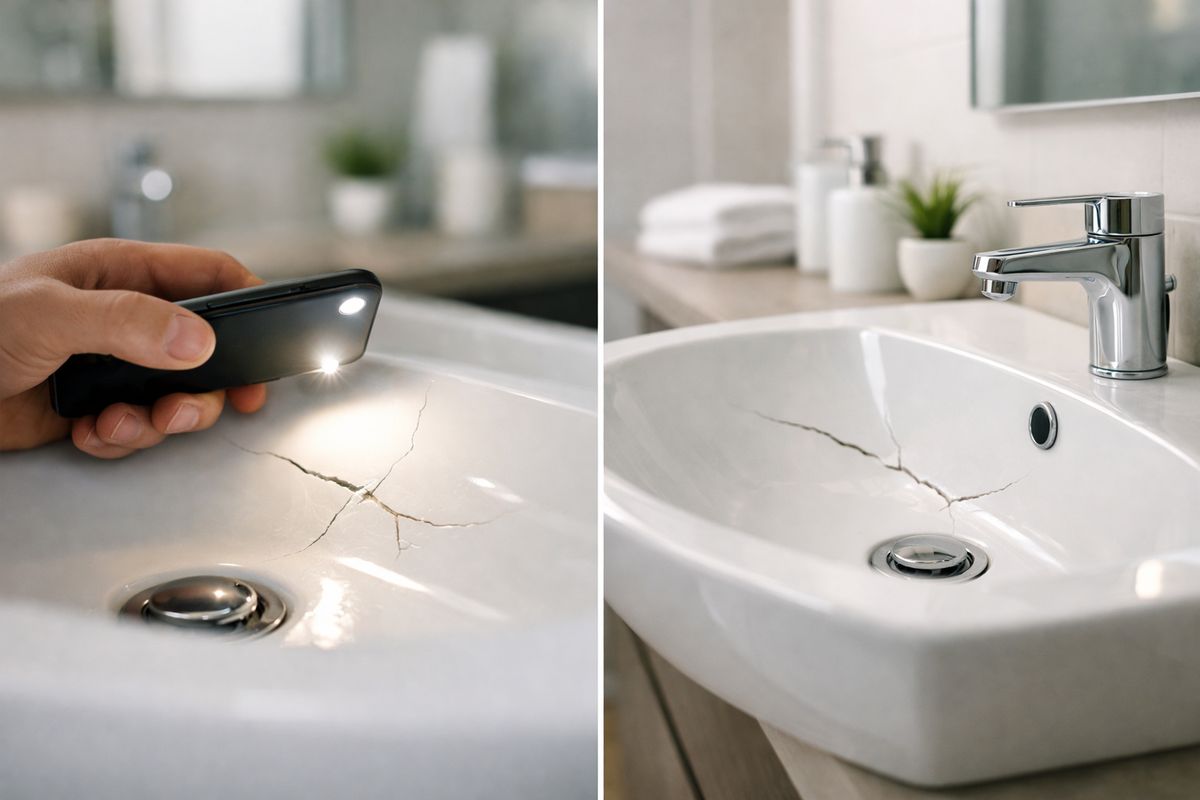
In plain English, video inspection accuracy is the gap between what is actually happening on site and what your inspection process concludes from the video. The smaller that gap, the better your accuracy. If a cracked sink basin, failed seal, damaged handrail, or equipment leak is visible on camera and correctly identified, that is an accurate result. If the damage is there but the inspection misses it, or if a harmless stain gets logged as a defect, accuracy drops.
That sounds simple, but it is not just about seeing something on a screen. Accuracy includes capture, interpretation, documentation, and decision-making. A remote inspector has to get usable visuals, understand what those visuals mean, record the evidence clearly, and attach the right finding to the right location. Miss any step in that chain and the inspection can fail even if the video itself looked decent.
For public programs, that chain matters because inspection results do more than fill a file. They support approvals, compliance decisions, contractor accountability, payment release, resident service timelines, and follow-up work. A blurry five-second clip can turn into a delayed repair order, a dispute about scope, or an unnecessary return visit.
Accuracy Is More Than a Sharp Picture
A sharp image helps, but it is only one layer of accuracy. Think of it like reading a street sign. Clear eyesight helps, but if you only see half the sign, or you are moving too fast, or you do not know which road you are on, clarity alone does not save you.
The first layer is image clarity. Can you actually see the detail? The second is defect detection. Did the inspection catch the issue at all? The third is defect classification. Was the issue labeled correctly, such as active leak versus old water stain, missing fastener versus shadow, completed repair versus cosmetic cover-up? The fourth is decision accuracy. Did your team make the right call based on the evidence, such as pass, fail, hold, escalate, or reinspect?
That last piece is where a lot of remote programs struggle. A crisp close-up of chipped paint does not tell you where it is located. A clean photo of a replaced faucet cartridge does not prove the leak stopped. A perfect shot of one patch of ceiling does not show whether the rest of the room was inspected. In other words, a good image can still support a bad decision if context is missing.
Why This Matters for Government Agencies and CBOs
For agencies and community-based organizations, remote inspections usually sit inside bigger operational pressures. You are trying to close work orders faster, verify public funds were spent correctly, document property conditions, keep staff safe, and avoid unnecessary travel. Accuracy is what keeps speed from turning into sloppiness.
If you oversee housing programs, the stakes are obvious. A missed safety issue in a unit turnover can delay occupancy or create risk for residents. If you manage facilities, poor remote documentation can lead to repeated contractor callbacks because the original issue was never captured clearly. If you handle fleet, sanitation, or public works equipment, an inaccurate video review can let damage slide until it becomes downtime. And if you run compliance or grant-funded inspections, weak evidence is hard to defend later.
There is also a service impact. Every avoidable reinspection means another scheduling cycle, another staff hour, another resident or vendor follow-up. A remote process that gets the answer right the first time is not just more efficient. It is more humane.
How Video Inspection Works in Real Life
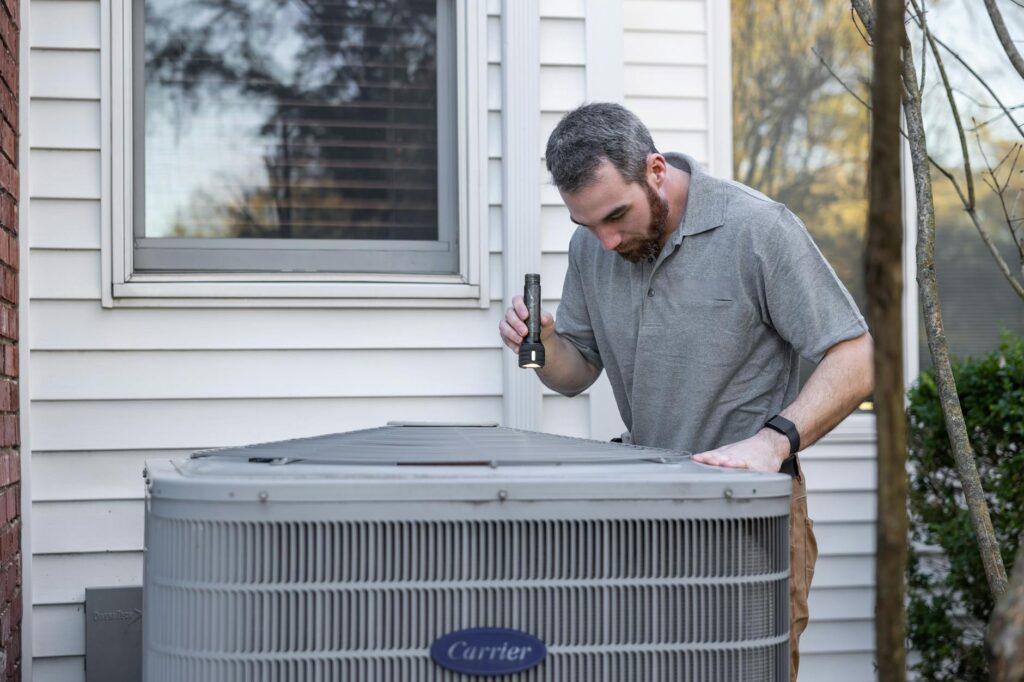
Remote video inspection sounds fancy until you see how it usually works. In many programs, one person is physically on site with a phone or tablet. Another person, often an inspector or supervisor, reviews the live feed remotely or reviews the recording shortly after. The software handles video, still images, timestamps, notes, markups, and the inspection record.
Sometimes the process is fully live. The person on site joins a secure session, walks the space, and follows directions in real time. Sometimes it is partly asynchronous. A contractor or resident records guided evidence, uploads it, and your team reviews later. Sometimes it is a hybrid, with a live walkthrough followed by a structured review and approval flow.
The practical point is this: remote inspection is not only about video streaming. It is a capture-and-decision workflow. The video is just the raw material.
If you want the broader mechanics before getting deep into accuracy, it helps to see how remote reviews typically run in public-sector workflows.
Common Use Cases
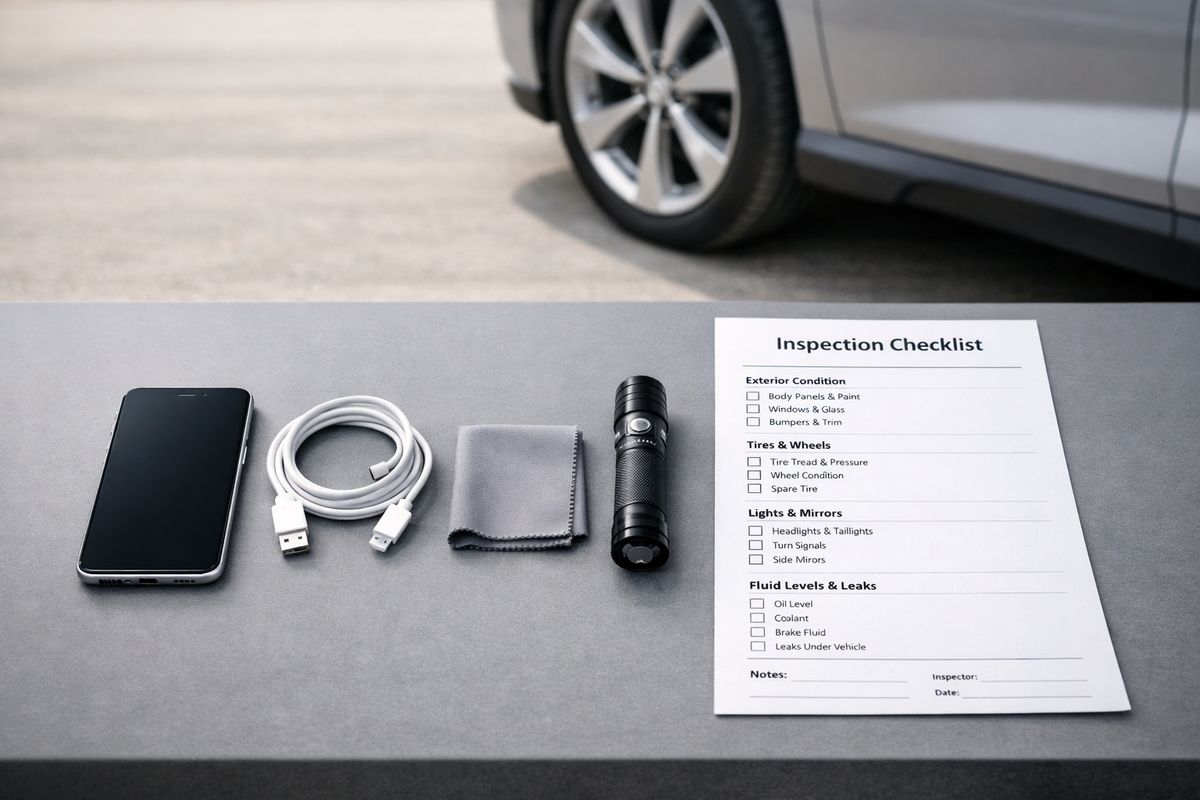
The list of real-world uses is longer than many teams expect. Housing inspections are an obvious one, especially repair verification, unit turnover documentation, and move-in or move-out condition records. Facility teams use remote video for maintenance walkthroughs, mechanical room reviews, roof observations, and documenting before-and-after conditions for completed work. Vehicle and equipment programs use guided video checks for body damage, cab condition, warning lights, tire condition, and proof that a repair was completed.
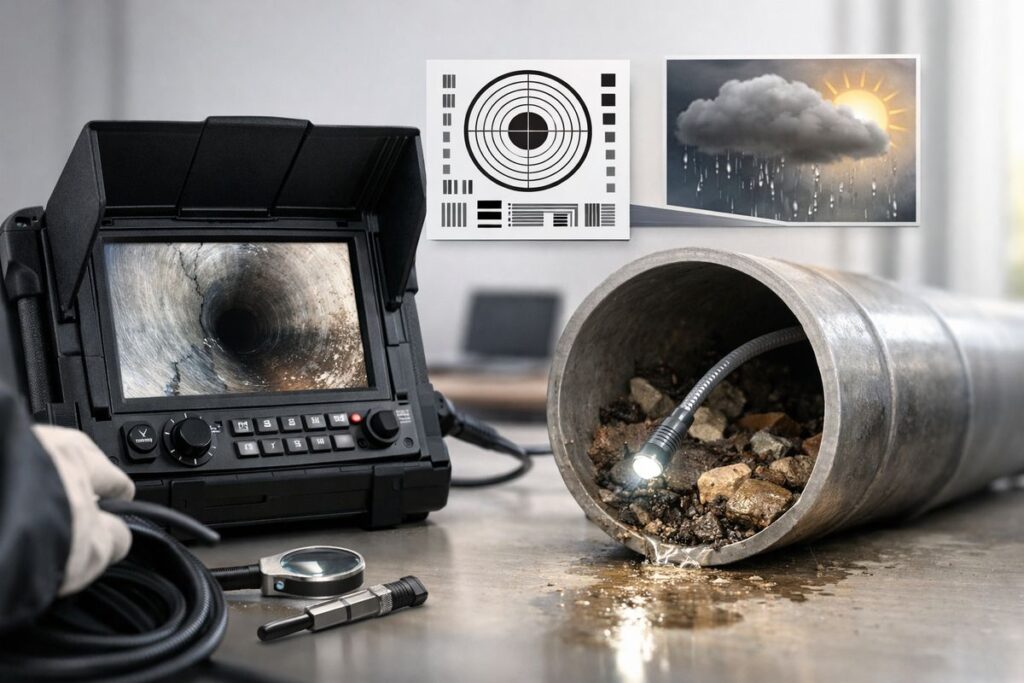
There are also more specialized cases. Infrastructure teams may use camera-equipped crawlers, drones, or scopes for culverts, pipes, rooftops, confined spaces, or hard-to-reach assets. Social service or grant-funded programs sometimes use remote inspections to verify living conditions, accessibility modifications, or environmental remediation work when getting staff on site quickly is difficult.
Many of the strongest public-sector examples of remote review have one thing in common: they focus on repeatable tasks with clear evidence requirements.
Where Accuracy Can Break Down
This is where the simple sales demo runs into real life. The camera turns on, but the room is dim. The person holding the phone pans too quickly. The live feed freezes exactly when the inspector asks to zoom in. A reflective metal panel turns into pure glare. Someone captures one close-up photo with no context, then leaves the site. The result is not exactly wrong, but it is not reliable enough to support a confident decision.
Weak points show up in three places. First, the image itself can be limited by lighting, stability, angle, lens quality, or connectivity. Second, the operator may not know what matters and may skip the views an inspector actually needs. Third, the workflow may be loose, meaning no standard sequence, no required evidence, no review rule for ambiguous findings, and no clean audit trail.
That is why a remote inspection program can look impressive in a demo and still produce uneven results in the field. Accuracy fails quietly.
The Biggest Factors That Affect Video Inspection Accuracy
Here is the blunt version: the camera matters, but workflow matters more. A strong process can improve an average device. A weak process can waste an expensive one.
Video inspection accuracy depends on a chain of small conditions going right at the same time. Lighting has to reveal detail. The camera has to point from a useful angle. The image has to stay steady long enough to interpret. The connection has to preserve enough information for the remote reviewer to assess what is being shown. The operator has to know when to zoom, when to back up, and when to hold still. The software has to capture and store the evidence in a way that makes later review defensible.
Break one link and the whole result gets shakier.
Lighting and Exposure
Lighting is one of the biggest factors in inspection accuracy, and it gets misunderstood all the time. Many people assume brighter is better. Often it is not.
In dark spaces, defects disappear into shadow. Hairline cracks, water intrusion, surface pitting, failed seals, and small workmanship flaws can all vanish if the scene is underlit. But flooding a space with brightness can create a different problem: washed-out surfaces, glare, and lost contrast. In borescope guidance from AWS, lighting and exposure are treated as a primary driver of usable results, and the guidance notes that lower light can sometimes preserve contrast better than blasting reflective surfaces with full brightness.
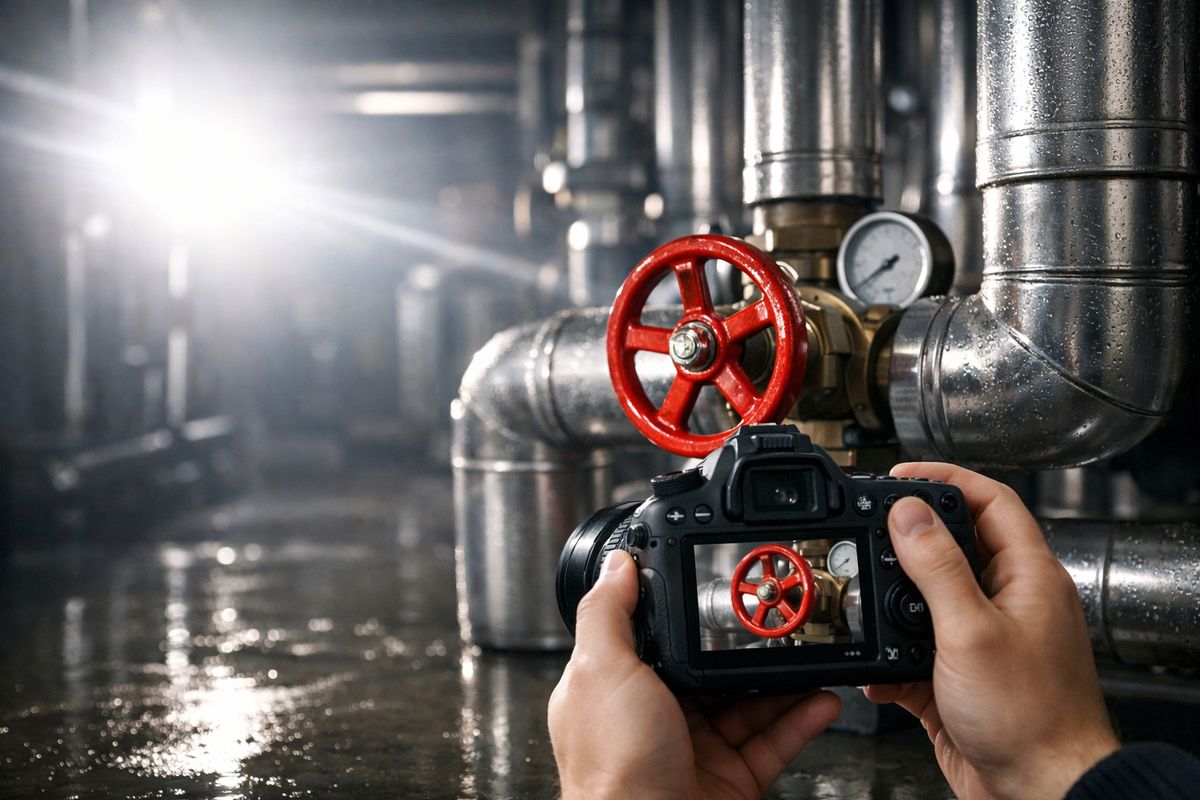
That matters in ordinary field work too. A glossy tub surround, polished pipe, wet mechanical room floor, or stainless panel can become unreadable if the light bounces straight back into the lens. The trick is not just adding more light. It is adjusting the scene so the problem stands out.
A simple example: a bathroom repair verification at 4:30 p.m. in a north-facing unit can look fine to the person standing there and still look muddy on video. Turn on the fixture lights, open the door wider for indirect light, hold the camera steady for two seconds, and the same room suddenly becomes reviewable. Small fix, big difference.
Camera Angle and Field of View
What the camera sees depends on where it sits and how it points. That sounds obvious, but angle is one of the easiest ways to lose accuracy without noticing.
A straight-on shot often hides texture, depth, and surface irregularities. Small dents, lifted edges, uneven patching, and moisture sheen often become clearer when the camera shifts a few degrees to the side. AWS guidance also notes that changing the angle by just a few degrees can push glare away from the lens and make reflective surfaces easier to interpret.
Field of view matters just as much. A narrow shot can make damage look worse than it is because scale is missing. A too-wide shot can bury the issue entirely. Good inspection footage usually moves from wide to medium to close, not the other way around. You need the room, then the wall, then the crack. Without that sequence, the reviewer is left guessing where the defect sits and how serious it is.
Stability and Motion Blur
Shaky footage kills confidence fast. It also erases detail.
If you have ever tried to read a street sign from a moving car, you already understand the problem. Motion blur does not just make the image less pleasant to watch. It removes information. Fine detail gets smeared, edges soften, and anything small becomes harder to distinguish from noise. AWS inspection guidance specifically notes that image stability affects reporting quality because small sensors and lower light can force slower shutter speeds.
In practical terms, that means your capture habits matter. Pausing before taking a screenshot, bracing a hand on a door frame, stepping closer instead of zooming while walking, and holding the frame still for a beat all improve what the remote reviewer can trust. This is especially true when the person on site is not a trained inspector and is doing the walkthrough between other tasks.
Resolution, Lens Quality, and Zoom
Better hardware helps. It just does not solve everything.
Higher resolution can preserve fine detail, especially when your team needs to zoom into a still frame later. A better lens can handle low light more gracefully and reduce distortion near the edges. Autofocus that locks correctly can save a surprising number of inspections. But resolution is not a magic fix. A 4K video of the wrong thing is still the wrong thing.
Zoom is where many inspections go sideways. Optical zoom can be useful. Digital zoom often gives a false sense of certainty because it enlarges pixels instead of adding detail. Worse, teams often zoom before establishing context. Now the reviewer sees a tight image of rust, sealant, or cracking but cannot tell where it is, how large it is, or whether it is part of a bigger pattern.
That is why “expanded views first, then zoom” is such a good rule. Context before detail. Always.
Connectivity and Transmission Quality
Capture quality and transmission quality are not the same thing. A phone may record decent video locally while the remote reviewer sees a compressed, lagging, lower-quality stream.
This is a real issue in basements, elevator machine rooms, parking structures, older facilities, rural sites, and large buildings with weak signal. Compression can smear fine detail. Dropped frames can hide exactly the moment when a defect becomes visible. Audio lag can make live guidance awkward, so the on-site participant moves before the inspector finishes the instruction. Frozen screens create false confidence because the session appears active while the usable evidence is no longer current.
That is why connectivity handling should be part of any software evaluation, not an afterthought. Teams comparing tools built for field inspection programs should look hard at low-bandwidth performance, recording fallback, and how evidence is preserved when live conditions get rough.
Environmental Conditions
Real spaces are messy, reflective, cramped, wet, dusty, and unpredictable. Software demos almost never are.
Environmental conditions shape accuracy more than many teams expect. Dust on a lens softens contrast. Moisture causes fogging or glare. Wind shakes the device outdoors. Bright sun creates hard shadows on roofs or exterior walls. Confined spaces limit angle choice. Mechanical rooms pack equipment so tightly that context shots become difficult. A ceiling stain may only show from one side of the room. A pipe seam may only reveal corrosion when the light hits from the side.
For infrastructure and hard-to-reach assets, the effect gets stronger. MnDOT’s culvert inspection guide notes that video inspection quality is affected by lighting, centering, lens clarity, data volume, and operator experience, not just by the presence of a camera. That tracks with everyday field experience. The environment always gets a vote.
Why the Human Operator Still Has a Huge Effect on Results
A strong operator can improve an average setup. A weak operator can waste an excellent one. That is not theory. It is how remote inspections actually live or die.
People often picture video inspection as a technology problem, but a lot of inaccuracy comes from technique. The person holding the phone decides where the camera points, how long it stays there, what gets skipped, and what gets documented. If that person rushes, guesses, or improvises, the software cannot fully rescue the inspection.
Camera Handling Skills
Good camera handling is not complicated, but it does need to be taught. Pause before capturing. Move slowly. Hold the frame. Reposition your body instead of waving the phone around. If glare appears, shift angle before changing everything else. If focus hunts, back up slightly, let it lock, then move closer again.
These are small habits, though honestly they have outsized effects. A resident can learn them. A contractor can learn them. A field worker can learn them in ten minutes if the guidance is specific enough.
The problem is that many programs skip this step. The on-site participant gets a link, joins the call, and starts walking. No framing expectations, no pacing guidance, no evidence checklist. Then the remote reviewer tries to extract certainty from improvisation.
Knowing What to Look For
Inspection accuracy improves when the person capturing the video knows what conditions matter. Not expert-level theory, just practical pattern recognition.
A task-specific checklist helps. So does a defect library with examples of what “acceptable,” “questionable,” and “failed” look like. If you are reviewing housing repairs, the operator should know that proof of completion is not just the repaired fixture. It may also include the surrounding wall, floor, ceiling, and test of function. If you are reviewing fleet damage, the operator should know to show the panel, surrounding panel alignment, tire area, lights, and VIN or unit ID when required.
The same principle appears in structured inspection research more broadly: design matters. Standard roles, timing, communication, and follow-up can change outcomes dramatically because people perform more consistently when the process is clear.
Capturing Context Before Close-Ups
This best practice is simple and worth repeating because it prevents so many problems. Start with the wider view, then move in.
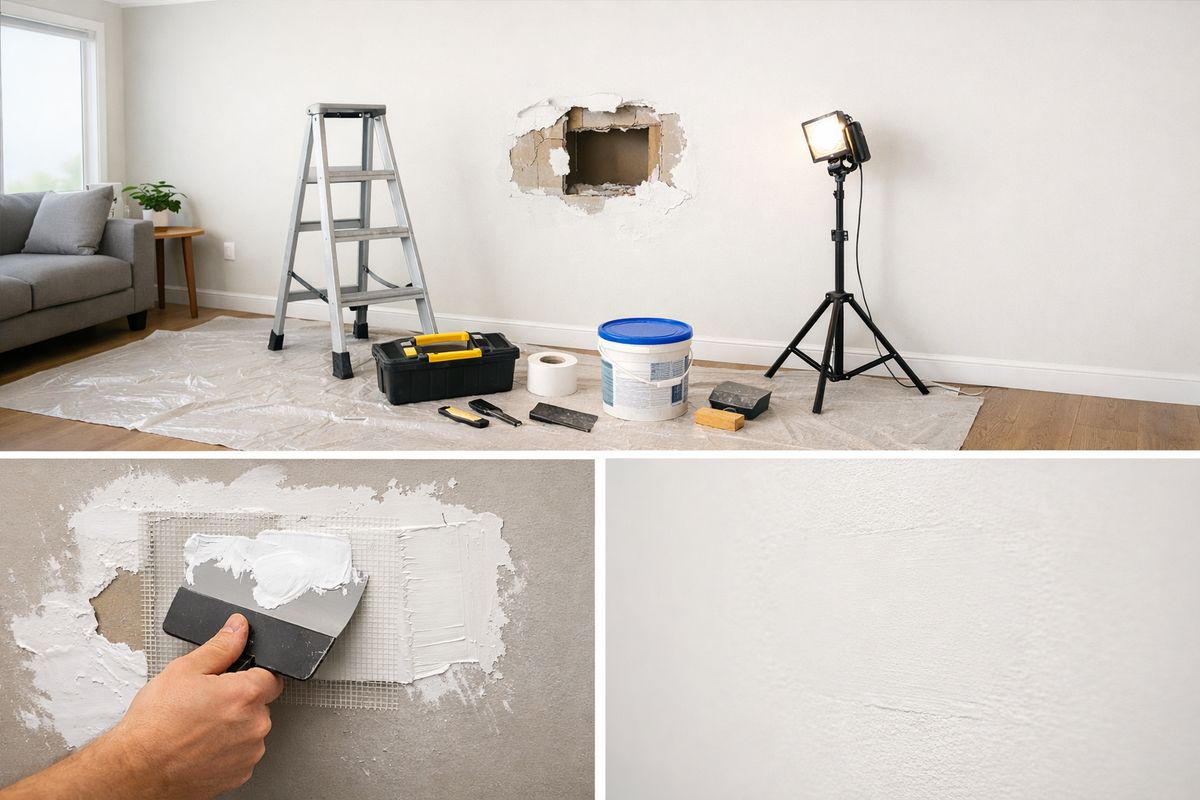
A close-up without context makes review harder. It can also create disputes later. Imagine a contractor submits a tight shot of patched drywall. The patch looks fine, but there is no room view, no wall view, no doorway reference, and no shot showing whether adjacent damage remains. Was the right area repaired? Is the finish acceptable in context? Is this even the same room? You cannot tell.
Expanded views first solve that. Show the room. Show the wall. Show the repair. Then show the detail. That sequence makes the evidence usable.
Taking Multiple Views Instead of Trusting One Frame
One frame is often not enough, especially when a finding matters. AWS recommends a rule of multiples: capture three to four images from slightly different angles or lighting levels for each meaningful indication. That advice travels well beyond borescopes.
If a leak stain, roof blister, pipe joint, vehicle dent, or door alignment issue matters to your decision, capture more than one view. A second angle may remove shadow. A third may show scale. A fourth may prove the issue is real and not just glare or compression artifact.
This reduces ambiguity, and ambiguity is what drives reinspection. The extra ten seconds during capture can save a second visit next week.
Workflow Design Has as Much Impact as the Camera
Even good operators get uneven results in bad systems. If your workflow leaves too much to memory or personal style, accuracy will swing from one inspection to the next.
Structured steps make remote inspections more repeatable. That matters a lot in government programs, where multiple staff members, contractors, residents, or partner organizations may all touch the process.
Standardized Inspection Paths
A standardized inspection path means the capture sequence is fixed enough that different people gather roughly the same evidence. Not robotic, just consistent. Enter room, establish full view, capture required fixtures, test function if needed, document issue, mark complete, move on. Or for vehicles: front, both sides, rear, tires, lights, interior, odometer, defect area, proof of repair.
This kind of consistency reduces hidden variability. It also makes training easier. Industry guidance around digital inspection tools increasingly points to menu-guided workflows and predefined procedures because standardized capture reduces human error and improves repeatability.
For agencies comparing where remote methods work best in public programs, repeatable inspection types are almost always the strongest starting point for this reason.
Required Photos, Video Segments, and Annotations
Accuracy goes up when evidence is required, not optional. If the form cannot be submitted without the full-scene shot, issue close-up, note, timestamp, and category selection, fewer inspections leave gaps behind.
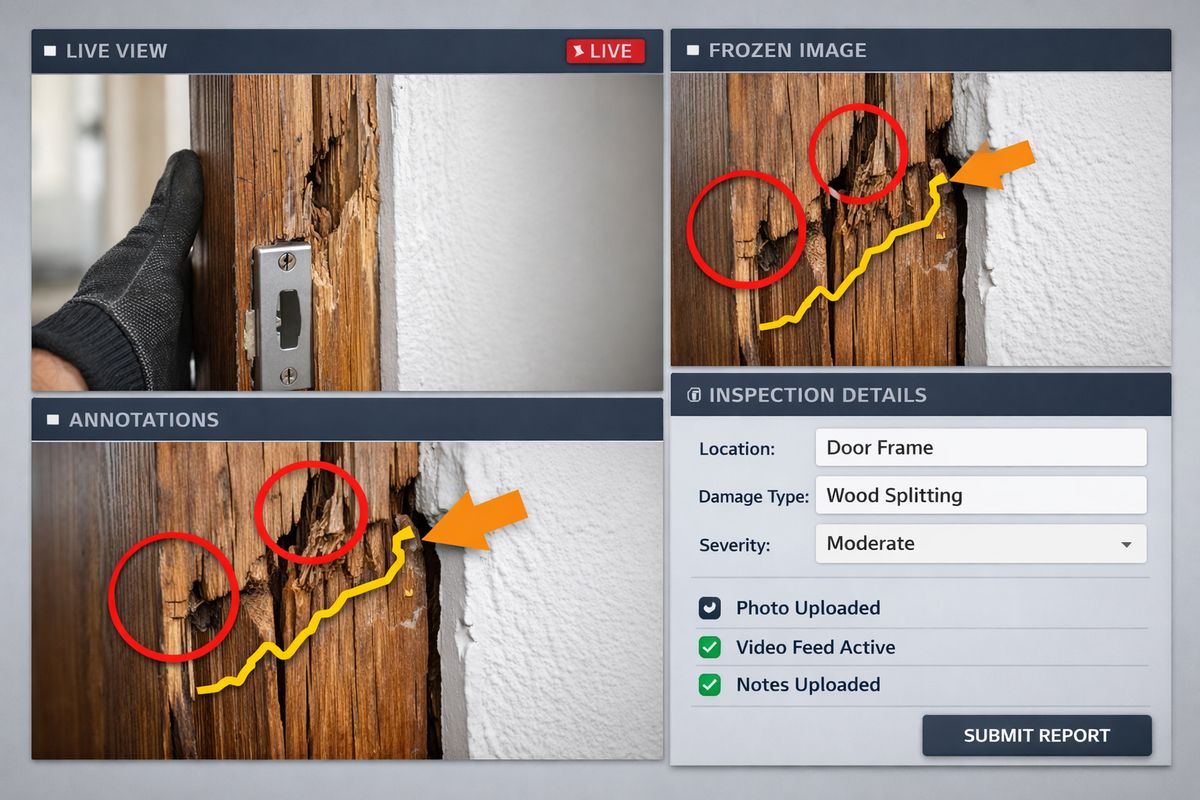
Annotations help later review just as much as initial capture. A still frame with a circle, arrow, short note, and location tag can be far more useful than a long video clip with no explanation. Traceability matters too. AWS guidance recommends immediate image annotation with date, time, location details, and viewing direction so records stay defensible and reviewable.
Public-sector teams especially need this because inspections often become part of a case file, contractor discussion, audit review, or compliance check months later. Memory fades. Good records do not.
Live Guidance During the Inspection
One of the biggest accuracy advantages in remote programs is real-time correction. The remote reviewer can say: tilt left, step back, show the full wall first, hold there, wipe the lens, turn off the flashlight, test the switch again.
That sounds small, but it changes the whole dynamic. Instead of discovering gaps after the site visit ends, your team fixes capture problems while the person is still standing in the room or next to the asset. This is where remote inspection often performs better than simple photo submission. Live guidance turns a passive upload into an active inspection.
In practice, this also helps less experienced on-site participants succeed. A resident with a phone can still produce usable evidence if the guidance is calm and specific.
Review, Escalation, and Follow-Up Rules
Bad workflows force unclear findings into yes or no decisions. Good workflows make room for uncertainty.
If the evidence is incomplete, questionable, or contradictory, the system should support second review, follow-up capture, or in-person escalation. That is not inefficiency. That is accuracy protection. The goal is not to pretend every inspection can be resolved instantly. The goal is to avoid confident mistakes.
A simple escalation rule can help: unclear but low-risk findings get follow-up evidence; unclear and high-risk findings get in-person review; routine and well-documented findings move straight to decision. This keeps the process fast without turning ambiguity into error.
What Good Video Inspection Software Changes
Software cannot create detail that was never captured, but it can make accurate capture much more likely. Good platforms shape behavior in useful ways. Bad ones leave people guessing.
The difference is not about flashy claims. It is about practical controls that help your team gather stronger evidence and make cleaner decisions.
Real-Time Communication Tools
Live video, audio, chat, remote guidance prompts, freeze-frame, and markup tools all support accuracy because they let the reviewer correct problems on the spot. If the operator is too close, moving too fast, or facing glare, the reviewer can intervene immediately.
This is especially useful when non-experts are on site. A contractor, resident, or maintenance worker does not need to know inspection language in advance if the software makes back-and-forth communication smooth. What matters is whether the tool works under pressure and on ordinary field devices.
Image Capture and Documentation Controls
Frame grabs, guided prompts, required fields, structured forms, and issue categories turn raw video into usable evidence. A recording alone is not enough if your team later needs to find the exact still image tied to a work order, room, issue type, and timestamp.
Strong documentation controls also prevent lazy capture habits. If the workflow requires a full-area image before a detail shot, your data quality gets better by default. If the form forces issue labeling and short notes, later review is faster and more consistent.
Audit Trail and Recordkeeping
For public accountability, traceable records matter almost as much as the inspection itself. You need to know when the inspection happened, who participated, what was captured, what was annotated, what decision was made, and whether anything changed after the fact.
That matters for contractor disputes, appeals, compliance reviews, repeat inspections, and internal QA. It also matters for trust. A clean audit trail gives your team something solid to stand on when questions come later.
While looking at platforms, it is worth pairing accuracy questions with security basics for government software, because evidence only helps if it is also stored and handled appropriately.
Device Support and Ease of Use
A tool that works beautifully in a controlled demo but frustrates people in the field will hurt accuracy. Confusing interfaces lead to rushed capture, skipped steps, and incomplete evidence. Slow load times make people abandon the process. Unsupported devices create workarounds, and workarounds create bad data.
Ease of use is not a soft concern. It is an accuracy issue. If a resident can join a session quickly, understand the prompts, and follow the sequence without getting lost, your odds of usable evidence go up. If a contractor can capture required proof in one pass, fewer items fall through the cracks.
AI and Automated Defect Detection: Helpful, but Not Magic
AI-assisted inspection gets a lot of attention because it promises consistency at scale. Some of that promise is real. Some of it gets oversold.
The useful way to think about AI is as an assistant that can spot patterns, prioritize review, and reduce some kinds of human inconsistency. The unhelpful way is to treat it like a perfect referee. It is not that.
Where AI Can Improve Accuracy
AI can be very good at repeatable visual tasks with clear patterns. It can flag likely defects, compare current images to known examples, scan large image sets faster than a person can, and triage what needs attention first. In manufacturing and construction settings, AI-based visual systems have reported strong results in certain narrow tasks, and Tulip cites a semiconductor study with 81% to 92% defect detection accuracy.
That kind of automation can help in public-sector programs too, especially where image capture is standardized. Think repeated housing repair categories, repeated vehicle walkarounds, or repeated asset conditions that are visually distinct. AI can reduce reviewer fatigue and highlight cases worth a closer look.
What AI Accuracy Depends On
AI accuracy depends on the data it learned from, the conditions it sees in the field, and the rules used to validate it. If the training images underrepresent certain lighting, devices, materials, or defect types, the model will struggle in exactly those cases. If the defect library is shallow, the system may confuse harmless variation with real failure.
This is where simple terms matter. A false positive is when the system flags a problem that is not really there. A false negative is when it misses a real problem. False positives waste time. False negatives create risk. In most inspection programs, the second one is worse.
Quality AI systems need balanced training data, separate test data, and ongoing performance review. Overview.ai makes this point directly, arguing that training data quality and balanced defect libraries are what allow models to perform well over time. Without that discipline, accuracy claims are mostly marketing.
Why Human Review Still Belongs in the Loop
Human review still matters because the real world keeps producing odd cases. Lighting changes. Materials age strangely. Repairs get half-finished. People capture images from bad angles. Sites contain unusual context that no model has seen enough times.
Tulip recommends keeping people in the loop for questionable images and misclassifications, especially during rollout. That is a good rule for agencies and CBOs too. Regulated environments, public accountability, and resident-facing decisions usually need human judgment somewhere in the chain.
AI can speed up triage. It can improve consistency. It can help surface likely issues sooner. It should not be the only voice making the call when the evidence is unclear.
Best Use Cases for AI-Assisted Inspection
The best place to start is with high-impact, repeatable tasks where missed issues are costly and image capture can be standardized. That usually means inspections with a stable sequence, known defect types, and enough historical examples to train against.
Good early candidates include completed-work verification, repetitive equipment checks, standardized room condition reviews, or asset categories with recurring defect patterns. Bad early candidates include highly variable environments, one-off edge cases, and inspections where tactile or peripheral cues matter more than visuals.
Remote Video Inspection vs. In-Person Inspection
This is the question many buyers really want answered: how close can remote get to in-person accuracy?
The honest answer is that remote can perform very well for many visual assessments, but it cannot replace every kind of on-site inspection. The better question is not “Which is always better?” It is “Which method fits this decision?”
When Remote Inspection Performs Very Well
Remote inspection works especially well when the task is visual, the evidence requirements are clear, and delay carries real cost. Verification of completed work is a strong example. So are routine walkthroughs, repeatable condition checks, guided inspections of hard-to-reach areas, and situations where a live expert can direct someone on site more efficiently than traveling.
Some remote inspection platforms report teams handling substantially more inspections per day once structured RVI is in place, with backlogs dropping from weeks to days. That kind of throughput matters when your program is trying to move cases, units, or repairs without lowering standards.
When In-Person Inspection Still Has the Edge
In-person still wins when the job depends on tactile checks, broad site awareness, peripheral clues outside the frame, or subtle workmanship judgments that are hard to capture on camera. Guidance on remote visual inspection has noted these limits clearly. Some issues depend on feeling looseness, hearing a change in equipment behavior directly, checking odor or temperature, or simply noticing something outside the intended field of view.
There is also the problem of holistic awareness. A camera shows what it points at. An on-site inspector absorbs more of the environment all at once. Missing insulation gaps, workmanship flaws, adjacent hazards, or signs of broader neglect can be easier in a physical visit.
If you want the broader comparison, it helps to look at what changes and what stays the same when inspections move remote.
A Hybrid Model Usually Gets Better Results
For many programs, the best answer is hybrid. Use remote inspection for coverage, speed, and routine verification. Reserve in-person visits for exceptions, high-risk findings, disputes, physical testing, or unclear evidence.
That lets you use staff time where it matters most. It also improves service because low-risk, straightforward cases move faster while complex cases still get full attention. Most mature programs end up here. Not remote only, not site visit only, but a practical split based on risk and evidence quality.
Common Sources of Inaccuracy You Can Actually Fix
Not every accuracy problem requires a new platform, new device fleet, or major policy rewrite. Some of the biggest misses come from ordinary habits that are fixable this week.
Dirty Lens, Dirty Result
A smudged lens quietly ruins evidence quality. It lowers contrast, softens edges, scatters light, and makes every reflective surface worse. The problem is common because phones live in pockets, trucks, tool bags, and job sites.
A two-second lens wipe before starting a live session can improve inspection quality more than a lot of expensive upgrades. It is boring. It works.
Too Much Zoom, Not Enough Context
Jumping straight into a close-up is one of the most common remote inspection mistakes. You lose location, scale, sequence, and surrounding conditions. Later, nobody can tell exactly what the image shows or where it belongs.
The fix is simple: require a wide shot first. Then medium. Then close. If the issue matters, repeat from another angle.
Glare on Reflective Surfaces
Glare is often treated as a lighting problem when it is really an angle problem. Change where the camera sits before cranking brightness or guessing about the defect. A slight reposition can turn a washed-out image into a readable one in seconds.
This comes up constantly on appliances, polished metal, wet floors, glossy paint, windows, and finished plumbing surfaces. It is one of those field lessons that pays back immediately once people know it.
Rushed Inspections and Checklist Skipping
Speed pressure creates misses. That is true in person and remote, but remote workflows make it easier to hide because the session can look complete while the record stays thin.
Skip the room overview, forget one fixture, fail to test the repair, ignore one annotation, and the whole case may need to be reopened later. That is fake efficiency. It saves two minutes now and costs forty later.
A short, fixed capture sequence beats a rushed freestyle every time.
Weak Training for On-Site Participants
In many remote programs, the person holding the phone is not an inspector. It may be a resident, contractor, driver, maintenance tech, or partner staff member. That is normal. It just means the training has to match reality.
Long manuals are not the answer. Short, repeatable guidance is. Show how to hold the device, how slowly to move, when to step back, when to pause, how to avoid glare, and what evidence is required before ending the session. If the process depends on non-experts, your instructions need to be almost foolproof.
How to Measure Video Inspection Accuracy
Convenience is easy to notice. Accuracy is easier to assume than prove. If you want to know whether your inspection process is actually working, you need a few plain metrics.
Defect Detection Rate
Defect detection rate is the share of real issues your process successfully identifies. If ten actual defects are present and your workflow catches eight, the detection rate is 80 percent.
This metric matters because it ties inspection performance to reality, not just completion counts. A process can feel efficient and still miss too much. Detection rate forces a harder question: did your inspections actually find what was there?
False Positives and False Negatives
A false positive means the inspection flags a problem that is not really present. A false negative means the inspection misses a real problem. Both matter, but they hurt differently.
False positives create unnecessary follow-up, disputes, and wasted staff time. False negatives are usually worse because they let real issues pass. In housing, that can mean safety or habitability problems. In facilities or infrastructure, it can mean delayed repairs and larger failures later. If AI is involved, these two metrics become even more important because model claims can sound impressive while hiding costly misses.
Reinspection Rate
Reinspection rate is one of the most practical accuracy signals because it reflects whether the original evidence was good enough to support a decision. If your team constantly has to revisit cases, request more images, or send staff out after a remote session, your initial capture process is not doing its job.
Not every reinspection is bad. Some cases should escalate. But a high rate of avoidable repeats is a sign that your workflow, training, or evidence standards need work.
Agreement Between Reviewers
If two qualified reviewers look at the same inspection and regularly reach different conclusions, your process is not as clear as it should be. Agreement between reviewers helps show whether the evidence and decision rules are consistent enough to produce repeatable results.
This matters for fairness too. Public programs need outcomes that do not swing wildly based on who happened to review the file that day.
Throughput vs. Accuracy
Faster inspections are useful only if they still support sound decisions. Throughput should never be read alone. A program that doubles case volume but also doubles follow-up disputes has not really improved.
The better question is whether speed and evidence quality are moving together. If your team is handling more inspections while maintaining detection quality, lowering unnecessary reinspections, and keeping reviewer agreement stable, that is real progress.
The Cost-and-Accuracy Tradeoff
Every inspection program balances cost, effort, and confidence. The mistake is assuming cheap capture stays cheap after the first visit.
Weak evidence often creates downstream costs that are harder to see in a budget line. Return trips, disputed contractor invoices, delayed case closure, unresolved resident complaints, and missed defects all eat time and money.
Why Cheap Capture Can Get Expensive Later
A low-effort inspection might feel efficient because it moves quickly, but if the footage is poor or the documentation thin, the case stays unstable. Someone has to review it again, call back the contractor, ask for more proof, or schedule another visit. That is the expensive part.
This is one reason poor documentation quietly undermines contractor accountability. If the evidence is ambiguous, it is harder to prove the work was incomplete or unsatisfactory. Strong capture protects your team later.
When More Inspection Rigor Pays Off
More rigorous inspection methods cost more up front, but they can make sense when missing a defect is expensive. MnDOT’s culvert work is a useful example. The guide notes end-of-pipe inspection costs around $0.07 per foot, while enhanced methods can range from $0.23 to $6.50 per foot. That is a big spread, but the point is not that expensive is always better. The point is that inspection depth should match consequence.
If a missed problem could trigger safety risk, service interruption, or major repair cost later, spending more to capture stronger evidence is usually the right call.
Matching Inspection Depth to Risk
The smartest programs tier inspection depth. Low-risk cases get a lighter remote workflow. High-risk, high-value, or ambiguous cases get enhanced capture, specialist review, or in-person follow-up.
That kind of tiering keeps your standards high without wasting resources on every single case. It also gives staff a cleaner decision rule. Not every inspection needs maximum rigor. The ones with the highest downside do.
What Accuracy Looks Like in Different Public-Sector Scenarios
Accuracy is easier to understand when you tie it to actual program work. The same core principles show up across very different settings.
Housing Repairs and Unit Turnovers
In housing, accurate remote inspection usually comes down to room coverage, proof of function, and proof of completion. A repaired cabinet hinge needs a context shot of the cabinet, a close-up of the repair, and often a simple functional demonstration. Water damage needs wider room context because adjacent staining or mold risk may matter. During unit turnover, lighting becomes a big deal because dim rooms can hide patch quality, floor damage, or appliance condition.
A common miss here is ending the session after the repair itself is shown, without proving the surrounding area is clean, complete, and undamaged.
Facility and Maintenance Walkthroughs
Facilities bring more environmental challenges. Mechanical rooms are tight and reflective. Roofs have glare, wind, and access issues. Large buildings may have weak signal in stairwells, basements, or utility spaces. In this setting, accuracy often depends on slower movement, stronger orientation shots, and live guidance from someone who knows what must be shown.
One missed context shot in a boiler room can make an otherwise good clip almost useless because the reviewer cannot locate the component or understand what system it belongs to.
Fleet, Vehicle, and Equipment Checks
Vehicles and equipment are a strong fit for remote inspection because the sequence can be standardized. Front, sides, rear, tires, cab, warning lights, controls, damage area. When everyone captures the same path in the same order, comparisons get easier and missed areas drop.
The key is consistency. A guided walkthrough catches more when the shot order stays fixed. Random walkarounds create blind spots. For repair verification, it also helps to show the surrounding panel or component, not just the repaired spot, because fit, finish, and alignment matter.
Infrastructure and Hard-to-Reach Assets
For pipes, culverts, rooftops, confined spaces, borescopes, drones, and crawlers, technique matters even more. Angle, lighting, stabilization, and field of view become harder to manage and more consequential. Specialized devices may improve safety and coverage, but they also add complexity. A slight centering problem or reflective hotspot can hide the exact defect you were trying to document.
In these environments, workflow discipline and operator skill often matter more than headline device specs. Fancy capture tools help, but only when the capture process is controlled.
A Simple Accuracy Checklist for Your Team
If you want one practical framework to carry into your program, use this: prepare the device, capture context before detail, verify completeness before closing.
That sounds almost too simple. It is still one of the fastest ways to improve results.
Before the Inspection
Before the session starts, the device should be charged, the lens cleaned, connectivity checked, and the inspection scope clear. The person on site should know what evidence is required and what sequence to follow. If lighting is likely to be poor, address that before the walkthrough begins, not halfway through a bad capture.
This is also the moment to confirm whether live guidance will be used and whether the software is set to record the metadata your team needs later.
During the Inspection
During capture, start with the full context view, then move closer. Hold the frame steady before grabbing an image. Move slowly enough for the remote reviewer to interpret what is on screen. Change angle when glare appears. Capture multiple views when a condition matters. Use live guidance early instead of waiting until the end.
If the image feels uncertain in the moment, it will almost always feel worse during later review. Recapture it while you still can.
After the Inspection
After capture, label issues clearly, annotate the evidence, check completeness, and escalate anything unclear before the case is closed. Make sure records are stored securely with timestamps, notes, and the correct case association.
This last review step is where a lot of programs either protect accuracy or quietly lose it. If nobody checks that the required evidence is actually there, the whole workflow becomes optimistic instead of reliable.
Questions to Ask When Evaluating Remote Inspection Software
If you are buying or upgrading a remote inspection platform, accuracy should shape your questions more than feature count. A long list of capabilities means very little if the tool does not help your team capture usable evidence consistently.
How Does the Platform Handle Poor Connectivity?
Ask what happens on weak cellular connections, inside low-signal facilities, or when bandwidth drops mid-session. Does the platform degrade gracefully? Is there recording fallback? How much compression occurs, and does it preserve enough detail to keep the evidence usable?
A system that only performs well in ideal signal conditions will disappoint in real field work.
Can You Standardize How Inspections Are Captured?
Ask whether the platform supports templates, required steps, guided prompts, role-based workflows, and fixed capture sequences. The more your process depends on memory, the more variability you will get.
Standardization is one of the fastest ways to improve results because it reduces the number of decisions people have to improvise in the moment.
What Evidence Gets Stored Automatically?
Ask exactly what is captured and retained: timestamps, geolocation, screenshots, recordings, annotations, form fields, and audit trail details. Evidence quality is not just about what was seen. It is also about whether the record holds up later.
This is also where privacy and retention questions matter. If your program handles resident-facing or sensitive inspection data, pair accuracy questions with what public teams should verify about inspection data handling.
How Easy Is It for Non-Experts to Use?
Ask how quickly a resident, contractor, or field staff member can complete an inspection without long training. Accuracy suffers when the workflow is confusing. If the platform requires too much setup, too many taps, or too much interpretation, people will skip steps or improvise.
Simple tools usually beat complicated ones in the field, especially under time pressure.
How Do You Validate Accuracy Over Time?
Ask whether the platform supports QA review, spot checks, defect tracking, reviewer agreement checks, false-positive and false-negative analysis, and model validation if AI is involved. Accuracy is not a one-time purchase. It has to be measured and tuned over time.
If a vendor cannot explain how your team will monitor quality after rollout, the accuracy story is incomplete.
Common Questions About Video Inspection Accuracy
Is higher resolution enough to improve accuracy?
No. Higher resolution helps preserve detail, but angle, lighting, stability, context, and workflow often matter just as much. A sharper image of the wrong view is still the wrong evidence.
Can remote inspections replace all in-person inspections?
No. Remote works very well for many visual and repeatable checks, especially guided verification and routine documentation. In-person still matters when physical testing, broad site awareness, or subtle workmanship judgment is required.
Does AI make inspections fully objective?
No. AI can improve consistency and help flag likely issues, but the results still depend on capture quality, training data, validation, and human review. It is a tool, not a guarantee.
How much training does a remote inspection program need?
Less than many teams fear, but more than many teams plan for. Even simple programs need short, repeatable training on framing, movement, lighting, context shots, and required evidence. The goal is not expert mastery. It is consistent capture.
What is the fastest way to improve inspection accuracy?
Standardize the capture workflow first. Require full-scene views before close-ups, define the shot sequence, make key evidence mandatory, and set escalation rules for unclear findings. Then tighten lighting, angle, and review practices. That order works.
Frequently Asked Questions
What affects video inspection accuracy the most?
Lighting, camera angle, stability, operator technique, and workflow design usually affect results more than raw camera specs. The strongest programs treat accuracy as a process issue, not just a hardware issue.
Are live remote inspections more accurate than recorded inspections?
Often, yes, because a remote reviewer can correct problems in real time. If glare, bad framing, or missing context shows up during a live session, it can be fixed before the person leaves the site.
How many images should you capture for one issue?
More than one when the issue matters. Three to four views from slightly different angles or lighting levels is a practical standard because it reduces ambiguity and lowers the odds of reinspection.
What is a false negative in video inspection?
A false negative happens when a real issue is present but the inspection misses it. In most public-sector programs, this is the more serious error because it can leave safety, compliance, or repair problems unresolved.
Can a resident or contractor capture accurate inspection evidence?
Yes, if the workflow is simple and guided. Clear prompts, live direction, required evidence fields, and short training on framing and movement can produce reliable results even when the person on site is not an inspector.
How to Improve Results Without Rebuilding Your Whole Program
You do not need a full overhaul to get better video inspection accuracy. Most programs improve through a handful of disciplined fixes: clearer capture rules, steadier footage, better context shots, stronger review rules, and simpler training.
Start With One Inspection Type
Pick one repeatable workflow and tighten it first. Repair verification is a good candidate. Fleet walkarounds are another. Start where the evidence needs are clear and the case volume is steady. That gives you a clean test bed for improving accuracy without changing everything at once.
Fix the Capture Basics Before Buying More Gear
Before blaming the camera, fix the habits. Clean the lens. Slow the movement. Require wide shots first. Reduce glare with angle changes. Make key images mandatory. A lot of programs can improve noticeably before buying a single new device.
Review Ten Real Inspections and Look for the Same Misses
Pull a small batch of completed inspections and review them side by side. Look for patterns. Missing room overviews. Too much zoom. No proof of function. Blurry close-ups. Incomplete labels. Repeated weak spots tell you exactly where the workflow needs tightening.
This kind of mini-audit is far more useful than arguing in the abstract about whether your process is “good enough.”
Try One Change This Week
Try one simple rule: require a full-scene shot before every close-up. Or add a mandatory lens-cleaning step before live video starts. Or force a completeness check before a case can close. One change, applied consistently, can improve inspection quality faster than a long strategy deck.
If you want to see what that kind of guided, field-friendly workflow looks like in practice, start a Blitzz trial and test one inspection type with your actual team, devices, and real-world conditions.