A packed inspection day can fall apart fast. One long drive for a five-minute check, one missed access window, one approval stuck because nobody can get on-site in time, and the whole schedule starts slipping. That is why remote inspection use cases matter now: remote inspection is simply a way for an inspector to review work from somewhere else while a person on-site shares live video, photos, or geo-verified documentation, and it is already a real operating model for agencies and CBOs, not some future idea.
1. Building Permit Inspections for Routine Work
Routine permit work is one of the clearest places to start. If you handle water heaters, re-roofing, minor electrical work, mechanical swaps, or straightforward plumbing jobs, remote review can keep the line moving without sending somebody across town for every single stop. In practice, the inspector guides the view, asks for closer shots, checks required details against a checklist, and signs off when the visible work matches code.
Local guidance already treats this as a practical option for the right tasks, and several U.S. states have put virtual inspections into real government workflows. That matters because it shifts remote inspection from workaround to standard tool.
What fits this use case
The best fit is visible, repeatable work with clear inspection points and decent connectivity. Think exposed piping, labeled panels, equipment clearances, fastening patterns, or other items that can be shown clearly on camera. If a job is predictable and the pass or fail points are easy to document, it probably belongs on your shortlist.
Not every permit inspection fits. Hidden conditions, poor lighting, weak signal, and anything that depends on touch, measurement, or field testing can still push you back to an in-person visit.
Why agencies and CBOs like it
The payoff is simple: faster scheduling, fewer delays, and more completed inspections in a day. Once travel drops out of the equation, the calendar opens up. That is why many teams start here first.
It also helps with backlog pressure. Reducing travel time means more appointment slots, fewer bottlenecks, and less waiting around for a five-minute confirmation.
2. Re-Inspections and Correction Verifications
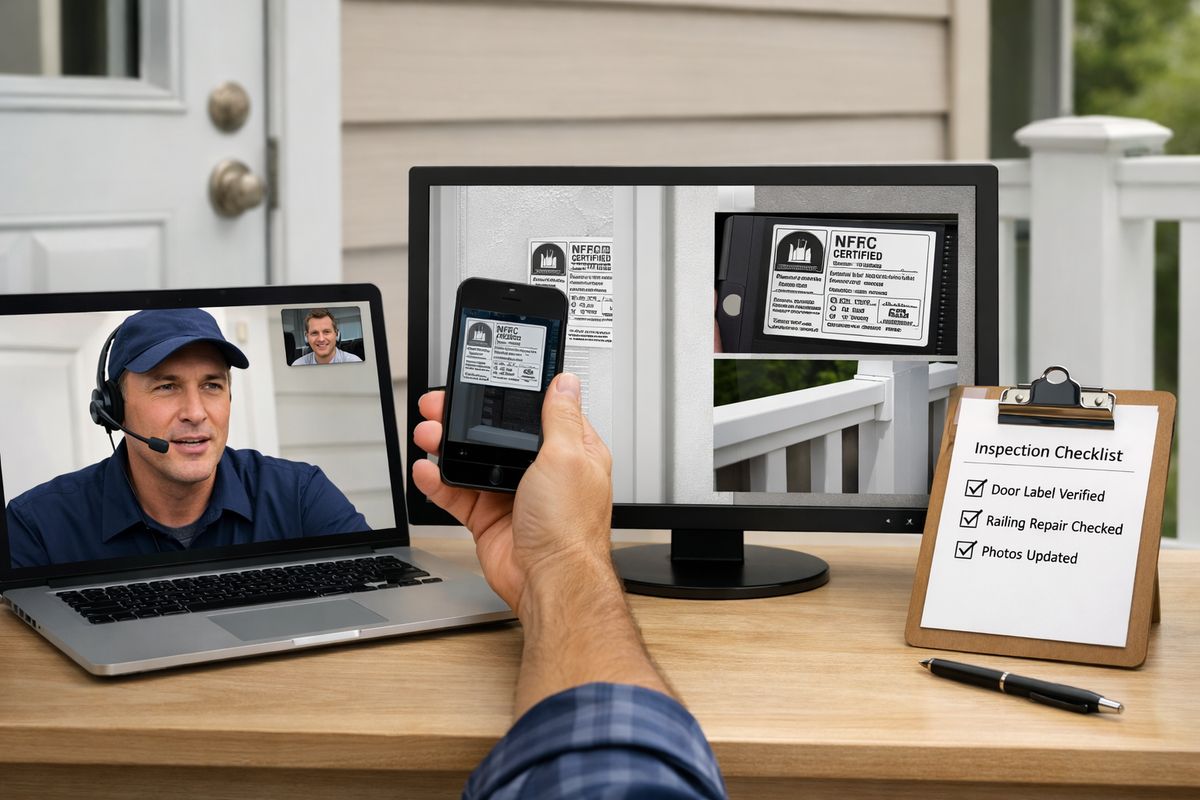
If you want the fastest win, start with re-inspections. When the only question is whether one missing label got installed or one clearance issue got fixed, a return trip often takes longer than the inspection itself.
This is where remote inspection really shines. A short live session or a geo-verified photo submission can confirm the correction, document the file, and close the case without dragging it out for another few days.
Best examples to include
Good candidates include failed final items, missing labels, guardrail fixes, minor clearance issues, patched penetrations, and other punch-list corrections with a narrow scope. These are not mystery inspections. You already know what you need to see.
That clarity is the trick. The more specific the correction, the better remote verification works.
The practical advantage
You can close out small issues faster instead of making somebody wait for a second trip that lasts less time than a coffee refill. That speeds up approvals, cuts frustration for contractors and property owners, and frees up staff time for jobs that actually need boots on the ground.
If your team is comparing what changes and what stays the same in a remote process, re-inspections are usually the easiest side-by-side test case.
3. Housing Quality Standards and Property Condition Checks
Agencies and CBOs involved in housing programs have another strong use case: property condition checks. If you oversee rental assistance, rehab grants, accessibility upgrades, or occupancy-related reviews, remote inspection can help when access is limited, schedules keep falling apart, or you just need clean documentation for the file.
A guided walkthrough can verify unit conditions, completed repairs, and visible deficiencies without the usual back-and-forth. That is especially useful when the alternative is waiting another week for a tenant, contractor, and inspector to line up at the same hour.
Where this helps most
This works well for rental program reviews, rehab milestones, post-repair verification, accessibility modification checks, and general property condition documentation. A tenant can open cabinets, show flooring transitions, pan to windows, or zoom in on plumbing under a sink while you direct the inspection in real time.
Documentation benefits
Recorded video and timestamped images create a stronger file for follow-up, disputes, and quality review. That is not a minor bonus. When questions come up later, you have a visual record instead of a thin note in a case file.
That record can also help protect your jurisdiction. IBTS guidance notes that video files can strengthen documentation and support liability review when failures or disputes surface later. For teams thinking beyond the walkthrough itself, what affects clear video evidence is worth paying attention to early.
4. Code Enforcement Follow-Ups
Code enforcement teams often spend too much time revisiting properties just to verify one visible correction. If the issue was overgrown vegetation, exterior debris, a boarded opening, or a required cleanup, remote follow-up can confirm compliance quickly and keep cases moving.
The benefit is not just speed. It is consistency. A standard remote workflow helps you capture the same photos, views, notes, and timestamps across similar cases, which makes the record cleaner and easier to defend.
Good fit vs. poor fit
Visible exterior issues and clearly defined corrective actions are usually a strong fit. If the required fix can be shown clearly on camera, remote follow-up makes sense.
Poor fits include high-risk cases, complex properties, contested enforcement matters, or situations where restricted access and unclear visibility leave too much room for doubt. In those cases, an on-site visit is still the better call.
What to document
You need clear photos, a live walkthrough when appropriate, location confirmation, and notes on anything that could not be viewed well. That last part matters. If a fence line, rear elevation, or outbuilding could not be captured clearly, document it instead of guessing.
5. Public Health, Sanitation, and Biosafety Reviews
Public health teams learned fast that remote review can keep oversight going when site access is difficult or exposure risk is high. That lesson stuck because the process turned out to be useful well beyond emergency conditions.
A review of pandemic-era regulatory practice found that remote inspections reached about 20% of total inspections in one period studied. The bigger point is not the exact percentage. It is that once remote workflows existed, agencies kept finding practical uses for them.
Examples for agencies and CBOs
This can include sanitation checks, temporary facility reviews, community kitchen oversight, shelter walkthroughs, biosafety-related verification, and program-site compliance checks where guided documentation matters more than physical presence. If you need to verify setup, cleanliness, storage, signage, or visible process controls, remote review can be a strong option.
Why this matters beyond emergencies
Remote inspection reduces unnecessary exposure, limits disruption to active sites, and gives you a way to review conditions without pausing operations every time. For a busy shelter kitchen at 11:30 a.m., that can be the difference between a workable inspection and a headache nobody wants.
6. Safety and Compliance Audits Across Facilities
Remote inspection software is not just for permits. It also works well for recurring audits across buildings, offices, program sites, and contracted facilities where somebody on-site can walk through a checklist while an off-site reviewer directs the process.
This is useful for internal audits, vendor oversight, and recurring readiness checks. If your goal is consistency across multiple locations, remote workflows can be a lot easier to standardize than a loose mix of calls, texts, and emailed photos.
Common audit scenarios
Common examples include workplace safety checks, facility readiness reviews, equipment placement verification, signage confirmation, emergency access checks, housekeeping standards, and operational compliance walkthroughs. These are the kinds of tasks where a standard checklist does most of the heavy lifting.
Why software matters here
A basic video call is not enough for official work. You need guided workflows, photo capture, timestamps, notes, recordings, and audit-ready reports that hold up later. Otherwise, you are just swapping one informal process for another.
That is why teams evaluating platforms should look beyond live video and spend time on the features that make remote review usable for government work.
7. Quality Assurance for Repairs, Installations, and Program Work
If you manage contractors, funded repairs, rehab projects, or field crews, remote inspection can work as a quality assurance tool before money goes out or a file gets closed. It helps you catch incomplete work, visible defects, and scope mismatches early, when a fix is still easy.
That makes approvals cleaner. Nobody enjoys discovering after sign-off that the wrong fixture went in, the ramp slope looks off, or half the approved work never happened.
Use cases to call out
Strong examples include contractor work verification, rehab milestone sign-off, equipment installation checks, and confirmation that funded improvements match the approved scope. If the approved work can be compared against a visible checklist or project record, remote QA makes sense.
A smart angle to add
AI-powered visual inspection is starting to push this further. In plain English, it is software that helps flag visible defects or missing items in images and video so you can review faster and more consistently. It is not magic, but AI-powered inspection is already being used to spot cracks, erosion, dents, and other issues in more technical environments.
8. Infrastructure and Asset Checks in Hard-to-Reach or Risky Areas
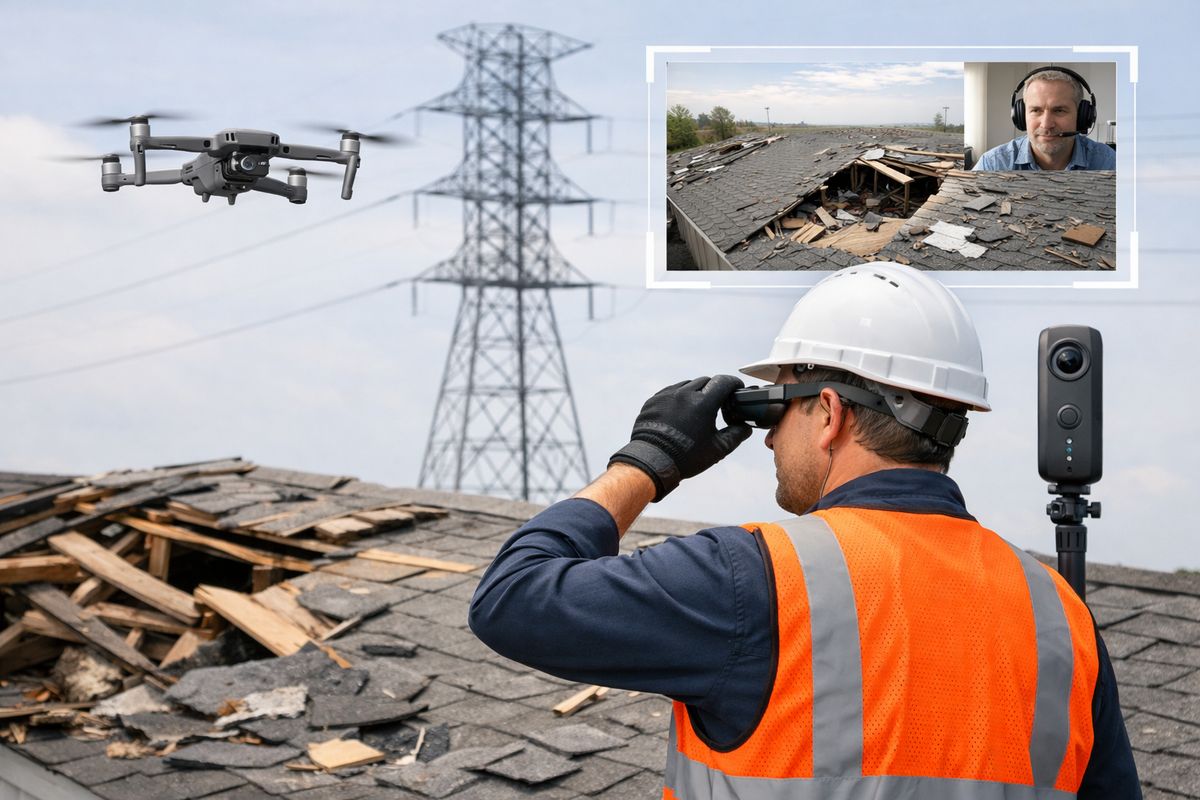
Some remote inspection use cases are about convenience. This one is about exposure. Roofs, bridges, towers, utility corridors, remote sites, confined spaces, and storm-damaged areas can all be slow, expensive, or dangerous to reach, which makes remote inspection especially useful.
Here, the value is getting eyes on the problem without sending staff straight into risk. Sometimes that remote look is enough to document visible conditions. Sometimes it helps you decide what kind of in-person response is actually needed.
Tools that expand what you can inspect
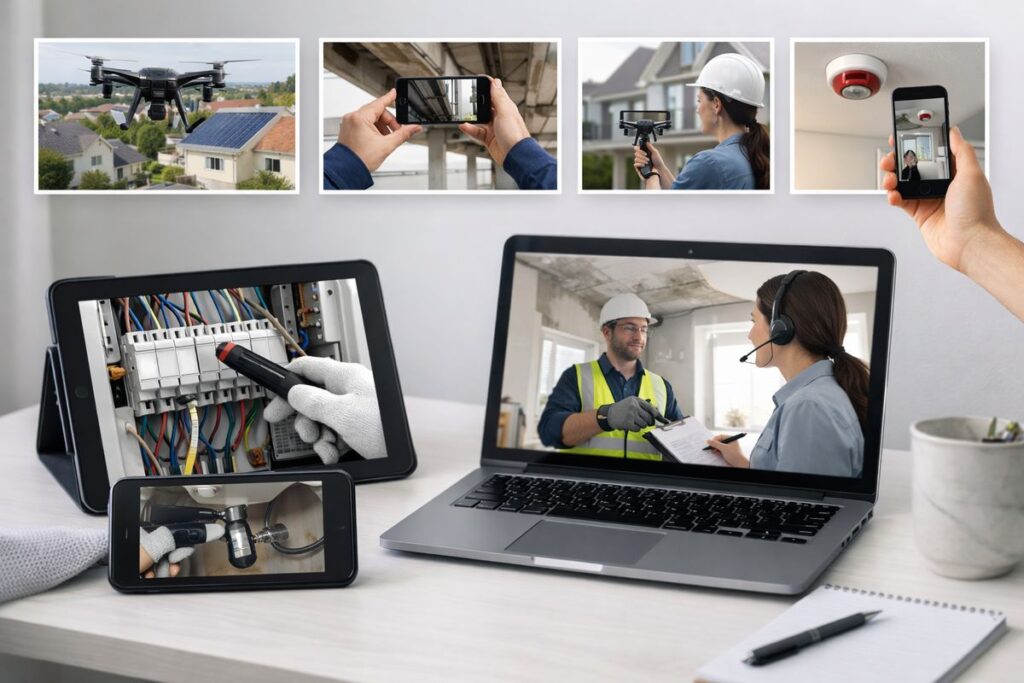
Drones are small aircraft that capture aerial views of roofs, structures, and damaged areas. A 360 camera captures the full surroundings in one image or video sweep. Smart glasses let an on-site worker share a live hands-free view. Live video platforms tie it all together with recording, notes, and guidance.
These tools push remote inspection well past a phone call. Hard-to-reach sites are one of the clearest reasons the category keeps growing.
When to escalate
Remote inspection can triage conditions, document visible issues, and help you prioritize the next move. But if you need physical testing, specialized measurements, or close structural evaluation, escalate to in-person inspection without overthinking it.
9. Post-Disaster and Emergency Response Assessments
After a storm, flood, or fire, inspection demand can spike overnight while access gets worse at the exact same time. Roads are blocked. Sites are unstable. Staff time disappears fast. Remote workflows help you sort the urgent from the routine before the truck even leaves the lot.
That early triage matters. It helps you identify visible damage, habitability concerns, blocked access, and likely follow-up priorities so your in-person resources go where they are needed most.
What you can verify remotely
You can review initial damage, visible structural concerns, access limitations, exterior hazards, and basic occupancy questions. The goal is not to finish every case remotely. The goal is to see enough to prioritize the queue intelligently.
Specific detail to make it real
Picture a Monday morning after a Gulf Coast storm. Requests are piling up before 8 a.m., roofs are missing, streets are half blocked, and nobody has enough vehicles for the volume. A remote first pass gives you a fighting chance to sort the day.
10. Training, Mentoring, and Remote Expert Support
This use case gets overlooked, but it pays off for years. Remote inspection software can support live coaching, supervisor review, second opinions, and onboarding for newer staff even when no formal inspection is happening.
That matters because consistency is usually the real bottleneck. Not policy. Not software. Just uneven judgment between teams and too much knowledge living in a few experienced heads.
How this looks in practice
A supervisor can guide a new inspector through a tricky site visit in real time. A specialist can review a questionable condition without waiting three days for matching calendars. Recorded sessions can become training material. Standardized checklists can turn tribal knowledge into repeatable process.
Why it pays off long term
You get more consistent findings, fewer avoidable callbacks, and less dependence on hallway memory. Over time, that helps your whole program run with less friction.
Choosing Use Cases That Should Go Remote First
Not every workflow should go remote first. Start with inspections that are repeatable, lower risk, easy to visualize, and built around clear pass or fail criteria. That gives you the best shot at early success.
A simple screening checklist
A good remote candidate has visible conditions, decent connectivity, manageable safety concerns, clear documentation needs, and legal acceptance inside your process. It should also be something an on-site participant can handle with a checklist and a little direction.
Cases to keep in person
Complex structural issues, poor-signal sites, contested enforcement actions, and anything requiring physical testing still belong on-site. Remote inspection works best as a smart filter, not a stubborn rule.
What to Look for in Remote Inspection Software for Agencies and CBOs
Software choice matters because the process falls apart if access is clunky or documentation is weak. For agencies and CBOs, the practical stuff matters more than flashy demos.
Must-have features
Look for browser-based access, reliable live video, photo capture, recordings, timestamps, annotations, checklists, report export, and secure data handling. If a resident, contractor, or field worker has to download three apps before the session starts, adoption will drag.
Workflow and compliance needs
You also need audit trails, case documentation, role-based access, integrations, and secure storage. And before rollout, spend time on privacy checks for inspection platforms and the broader basics of locking down government software. A backup phone plan and real-world testing matter just as much as a polished feature list.
How to Roll Out Remote Inspections Without Creating Extra Friction
The trick is to standardize the process before you scale it. If every inspector improvises the workflow, results get messy fast.
Start small and build a protocol
Pilot one or two use cases first. Use a clear checklist, test connectivity ahead of time, and give teams a little extra breathing room at the start. IBTS recommends allowing an additional 15 to 20 minutes for early remote inspections while everybody gets comfortable with the process.
Pick one correction-verification workflow and run it remotely for 30 days. That is the cleanest way to learn what works in your environment without turning the whole department upside down.
Frequently Asked Questions
What are the best remote inspection use cases to start with?
Start with routine permit inspections, correction verifications, and visible property condition checks. These are easier to standardize, easier to document, and less likely to require physical testing.
Can remote inspections replace in-person inspections completely?
No. Remote inspection is a strong option for the right jobs, but complex structural issues, poor connectivity, contested cases, and anything that requires hands-on testing still need an on-site visit.
What makes a remote inspection successful?
Clear checklists, good lighting, stable connectivity, trained camera operators, and strong documentation. The process works best when everybody knows exactly what must be shown and what happens if something is unclear.
Are remote inspections legally acceptable for government work?
Often yes, for specific workflows and jurisdictions, but acceptance depends on your local rules, program requirements, and documentation standards. The smart move is to match each use case to current policy instead of forcing one method everywhere.
How is remote inspection software different from a normal video call?
Remote inspection software adds records you can actually use later: timestamps, captured photos, notes, guided workflows, recordings, annotations, and exportable reports. A regular call shows you something. Inspection software documents it.
Can remote inspection help with staffing and training?
Yes. It can reduce travel, let senior staff support more cases in less time, and give newer inspectors guided field support. Recorded sessions also help preserve knowledge instead of letting it walk out the door.
If you are ready to test one workflow instead of debating ten, start small and do it with software built for real inspection work. Try the Blitzz Trial and see how quickly a single remote re-inspection process can save time, tighten documentation, and make your schedule a lot easier to manage.