

Buying inspection software gets messy fast because every vendor shows a slick demo, but your real problem is usually much simpler: notes in one place, photos in another, and follow-up buried in email. If you are sorting through inspection software requirements for a public sector team, the goal is not to buy a prettier form. It is to get a system that can handle the full job from assignment to closeout without creating new gaps.
What “inspection software requirements” really means for public sector teams
In plain English, inspection software requirements are the features and controls your system needs so inspections can actually move from scheduled visit to documented result to corrective action. That includes field use, evidence capture, review, reporting, security, and a clean case history.
Here’s the thing: a digital checklist alone will not fix a broken inspection process. Public sector work usually involves compliance, fairness, defensible records, and follow-up across multiple people. Good software acts like the thread that keeps all of that connected.
Core requirements your inspection software should cover
This is the practical center of the buying decision. If a platform misses one of these basics, the pain usually shows up later, in delayed closeouts, weak records, or staff workarounds.
Mobile field use and offline access
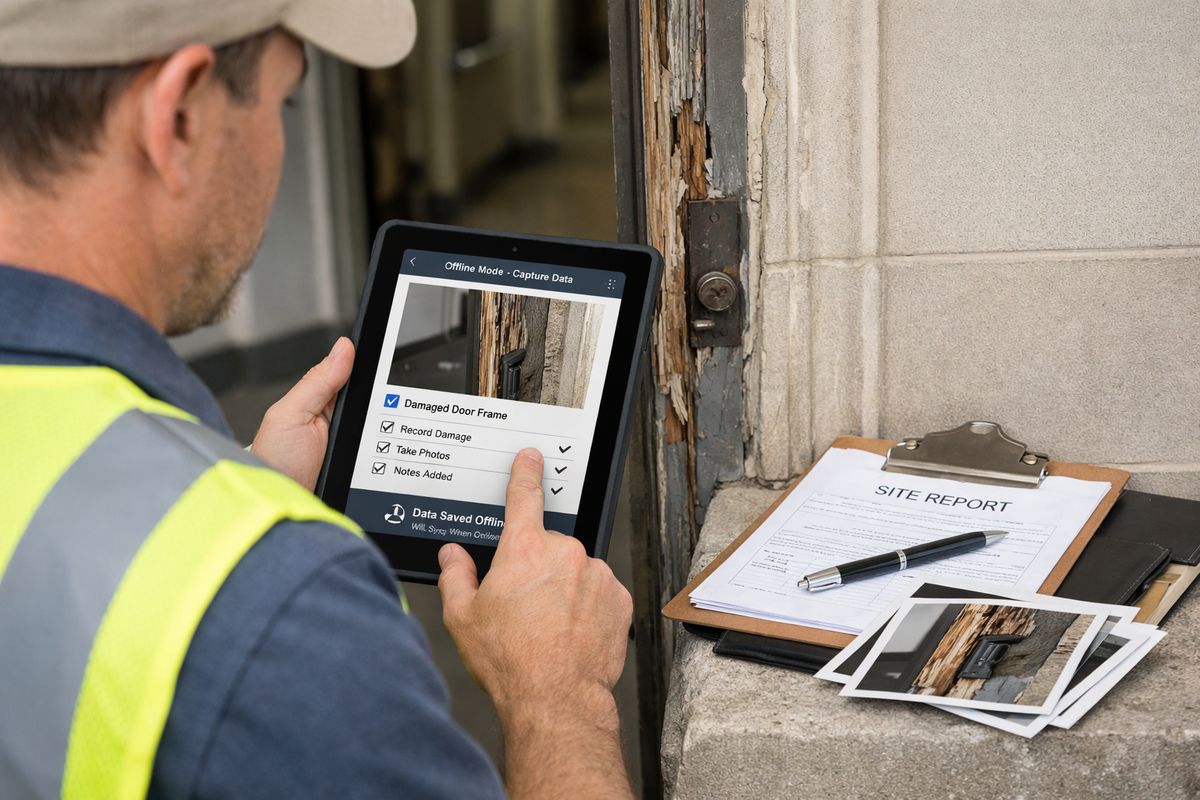
Inspectors need to work where the inspection happens, on a phone or tablet, not on paper in a stairwell and then again later at a desk. That matters in parking lots, basements, rural service areas, and older public buildings where signal drops at the worst possible moment.
Offline capability is not a nice extra. It is a requirement. A solid system saves notes, photos, and checklist data locally, then syncs quickly once service returns. Many public-sector tools now treat offline capability as table stakes, and for good reason.
Configurable forms, checklists, and workflows
Your programs rarely stay identical for long. One inspection may involve housing quality, another fire safety, another facility maintenance, and each can have different code references, risk triggers, and follow-up rules.
That is why configurable forms matter, but workflow matters even more. Workflow means the whole path: scheduling, assignment, inspection, review, corrective action, reinspection, and closeout. If you can change a checklist but cannot adjust what happens after a failed item, you are still stuck.
Evidence capture that holds up later
Photos, short video clips, timestamps, GPS, attachments, inspector notes, and digital signatures create a record that is easier to trust. That trust matters when a site disputes a finding or when a supervisor needs to review what happened three months later.
Look closely at how evidence is organized. A good system ties every file to the specific case, line item, date, and location instead of dumping everything into a generic attachment folder. If your team also handles virtual reviews, it helps to understand where live video fits best alongside standard field evidence.
Compliance tracking, case history, and audit trails
Public sector inspections need more than pass or fail. Your software should track violations, deadlines, corrective actions, reinspections, approvals, and every status change along the way.
Audit trails are the quiet feature that saves you later. You want a history showing who changed what, when it changed, and what evidence supported the decision. Public-sector inspection guidance consistently points back to transparent criteria and credible evidence, and software should make both visible.
Reporting, dashboards, and shared records
Field staff and office staff should be looking at the same case record, not parallel versions of the truth. Shared records cut down on phone calls, duplicate entry, and “which file is current?” confusion.
Reporting should also go beyond pass rates. You want dashboards that show overdue items, repeat issues, bottlenecks, and workload patterns. Some vendors claim up to 50% faster report writing with automation. Treat that as directional, not a promise, but it points to where time savings usually appear.
Security, privacy, accessibility, and deployment
Role-based access, retention controls, encryption, and accessible interfaces belong on the shortlist from day one. Public records, personally identifiable information, and enforcement files all raise the stakes.
For many agencies and CBOs, secure SaaS is the practical choice because it scales more easily and avoids turning every update into an IT project. The catch is that security claims can sound great in a demo and fall apart in procurement review, so it helps to know what agencies should verify on privacy before you go too far.
Requirements that matter more in public sector work
Generic inspection advice misses the public part of public-sector work. Your team is not just checking boxes. You are documenting decisions that affect services, safety, access, and trust.
Transparency and consistent inspection criteria
If one inspector flags an issue and another lets it pass, complaints start fast. Software should make criteria visible, standardized, and easy to follow across programs and staff.
That consistency helps with training too. New inspectors do better when code guidance, required fields, and decision rules are built into the inspection flow instead of living in a binder back at the office.
Risk-based inspections and proportional follow-up
Not every site needs the same level of scrutiny. Strong performers may need lighter touch follow-up, while higher-risk cases need more attention and faster action.
Your software should support prioritization rules, dynamic checklists, and escalation paths that match issue severity. That approach lines up with public inspection principles that call for effort to be proportional to risk, not evenly spread just because it feels simpler.
Improvement-focused reporting, not just box-checking
Public-sector inspections often exist to improve conditions, not just to record failure. A system should support action plans, remediation tracking, and reports that help people fix problems clearly.
That is especially useful in housing, health, facilities, and community programs where follow-up matters as much as the initial finding. If remote review is part of that process, it is worth understanding what changes and what does not when some visits move off-site.
Integration and workflow fit: the catch most teams notice too late
A nice-looking app that does not connect to your actual systems becomes one more place to re-enter data. That is the buying mistake that keeps showing up.
Scheduling, routing, and staff assignment
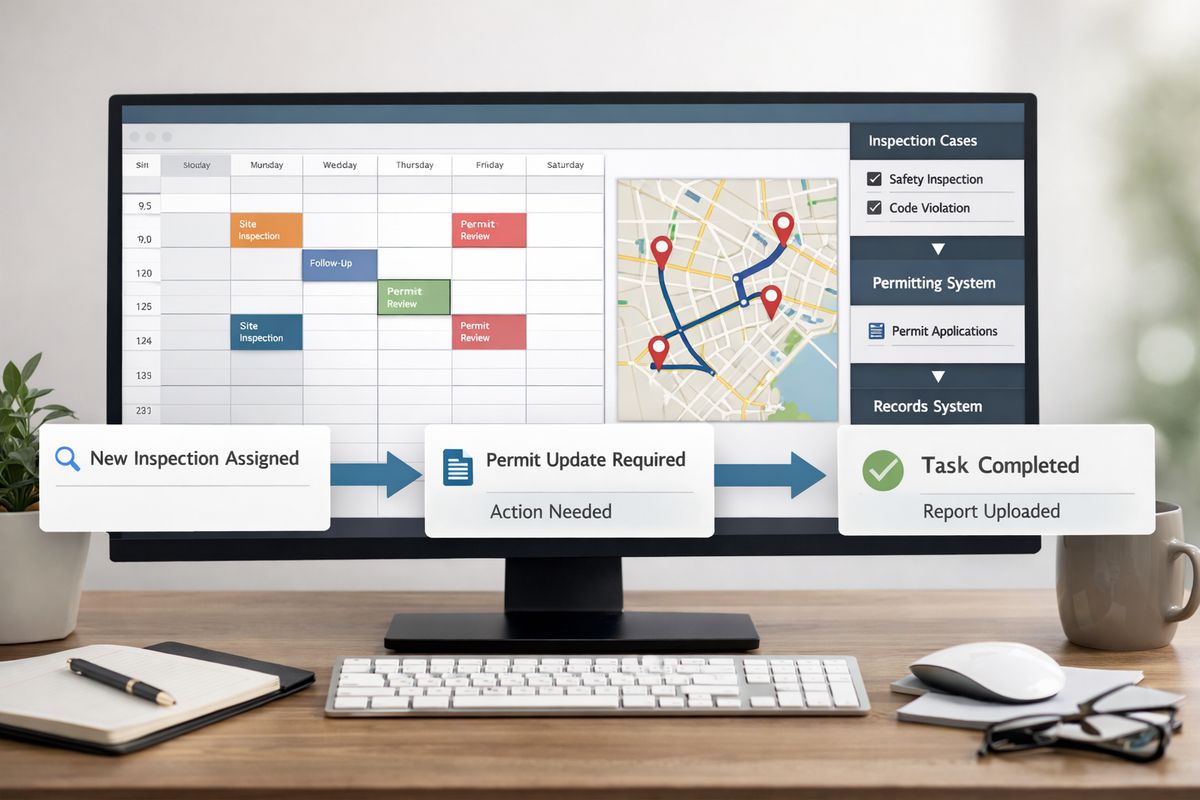
Look for scheduling that connects to calendars, routing tools, permit systems, or work management software. Automatic assignment can save real planning time, especially if your coverage area is wide and staff skills vary.
Vendors report big gains here, including route and planning improvements, but the main thing to check is simpler: can your team assign the right person quickly and avoid wasted trips?
Back-office, GIS, permitting, and case management connections
Inspection work touches maps, records, permitting, finance, and case systems. If your inspection platform cannot share data with those tools, office staff end up acting as human glue.
GIS links are especially useful for zoning, location-based assignments, and cluster analysis. Good integrations keep applicants, field staff, and admin teams aligned without extra chasing.
Notifications, status updates, and communication
Automatic reminders, task handoffs, and applicant updates keep cases moving. That matters more than most teams expect. A missing document or missed reinspection can stall a case for days.
The best systems send status updates without forcing staff to manually compose every message. That reduces friction for everyone involved.
How to compare vendors without getting lost in feature lists
Feature grids can make weak software look impressive. Real testing cuts through that fast.
Test real field scenarios, not demo magic
Use a scenario that feels like an actual day. Picture an inspector outside a property in Phoenix at 2:15 p.m., trying to upload photos, check code guidance, issue follow-up, and get to the next stop before traffic thickens. If the app feels slow or confusing there, the problem is real.
Ask how much you can configure without vendor help
Small process changes should not require a ticket and a wait. Ask how you edit templates, update permissions, change reports, and adjust workflows without custom development.
If simple changes stay in your hands, adoption is easier and costs stay calmer.
Review evidence quality and audit readiness
Check timestamp accuracy, version history, record locking, exports, and how easy it is to follow a case file from start to finish. If a case gets challenged later, your system should tell a clear story without detective work.
Budget, rollout, and long-term value
Price matters, but license cost is only the starting point.
What affects total cost
Total cost includes setup, training, integrations, support, administration, and devices in the field. A cheaper tool can cost more if staff keep re-entering data, skipping features, or calling the office to patch gaps.
Where efficiency gains usually show up
The biggest gains usually appear in scheduling, documentation, report prep, and follow-up. Some vendors claim faster planning, less travel, and shorter write-up time, but treat those numbers as directional signals rather than neutral benchmarks.
Rollout steps that make adoption easier
Start with one program, use standard templates, train supervisors first, and tighten the workflow before expanding. The trick is to swap paper pain for simple routines, not drop a huge system change on staff all at once.
Common mistakes to avoid when choosing inspection software
A bad fit usually comes from buying too narrowly, too quickly, or too optimistically.
Buying a digital form instead of a full inspection workflow
A form tool collects answers. A real inspection system supports assignment, evidence, review, violations, closeout, and reporting. That difference is not small. It is the whole point.
Ignoring offline use, evidence capture, or audit trails
Weak field performance and thin records tend to surface at the worst time, during enforcement review, complaint handling, or a records request. If the system cannot work offline or cannot preserve a clear audit trail, move on.
Overlooking future programs and scale
Your next use case may not look like your current one. Choose software that can handle more users, more sites, more programs, and updated regulations without starting from scratch.
Choosing software that is hard for staff to use
If the app is clunky, workarounds come back. Paper returns. Photos end up in text messages. Adoption drops quietly, then all at once.
Run a pilot with a real inspection team before buying. Then, if you want to see how remote inspections can fit into that broader workflow, start a Blitzz Trial and test it in the field with an actual program, not a demo script.
Frequently Asked Questions
What are the most important inspection software requirements for public sector teams?
Start with mobile use, offline access, configurable workflows, evidence capture, compliance tracking, reporting, and secure shared records. If those are weak, everything else feels harder.
Is a digital form app enough for inspection work?
Usually not. A form app may collect answers, but public-sector inspections also need assignment, follow-up, violations, reinspection, audit trails, and reporting.
Why does offline access matter so much?
Because inspections happen in places with weak or no signal. If staff cannot complete work in basements, older buildings, rural areas, or parking structures, the software breaks at the point of use.
What should you ask about security during procurement?
Ask about role-based permissions, encryption, hosting, retention controls, audit logs, and accessibility. Also check how the vendor handles privacy reviews, incident response, and data exports.
How do you know if a platform will work in the field?
Test a real scenario with your own forms, devices, and staff. Do not rely only on a polished demo. Field conditions expose usability problems fast.
What is the simplest way to narrow the shortlist?
Use one real workflow and score each option on field speed, evidence quality, audit readiness, configuration, and integration fit. If a tool fails one of those basics, the shortlist gets shorter quickly.